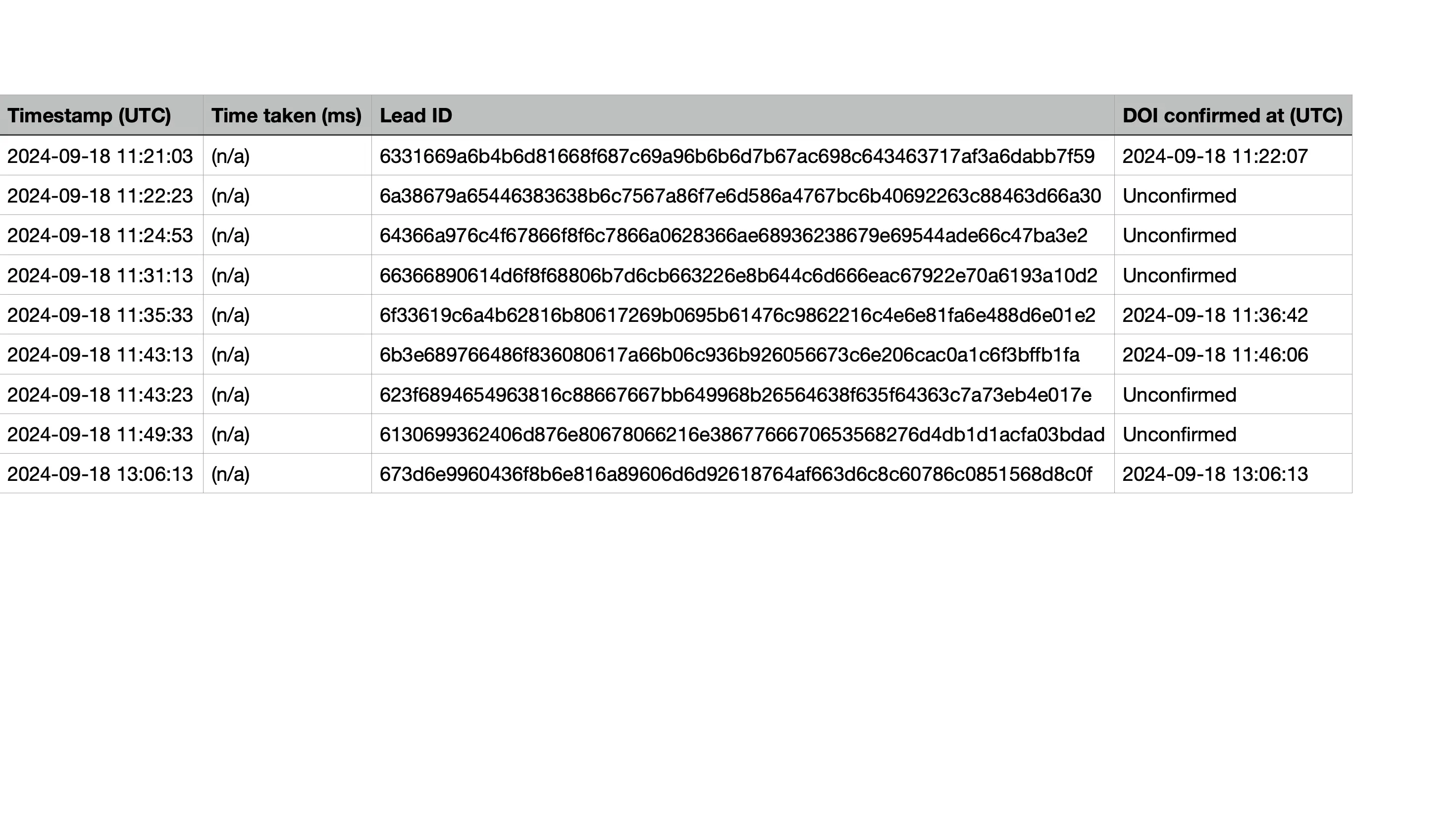
Save DOI-unconfirmed leads
As well as saving DOI confirmed leads, you can also save DOI unconfirmed leads for use cases such as raffles.
Good to know: This option is available for the Double opt-in confirmation email. It is not available for Double opt-in via OTP code by email or SMS. Unconfirmed leads that were saved with OTP in the past stay in your leads and exports.
- In your Q, go to Publish and click on on Double opt-in (GDPR).
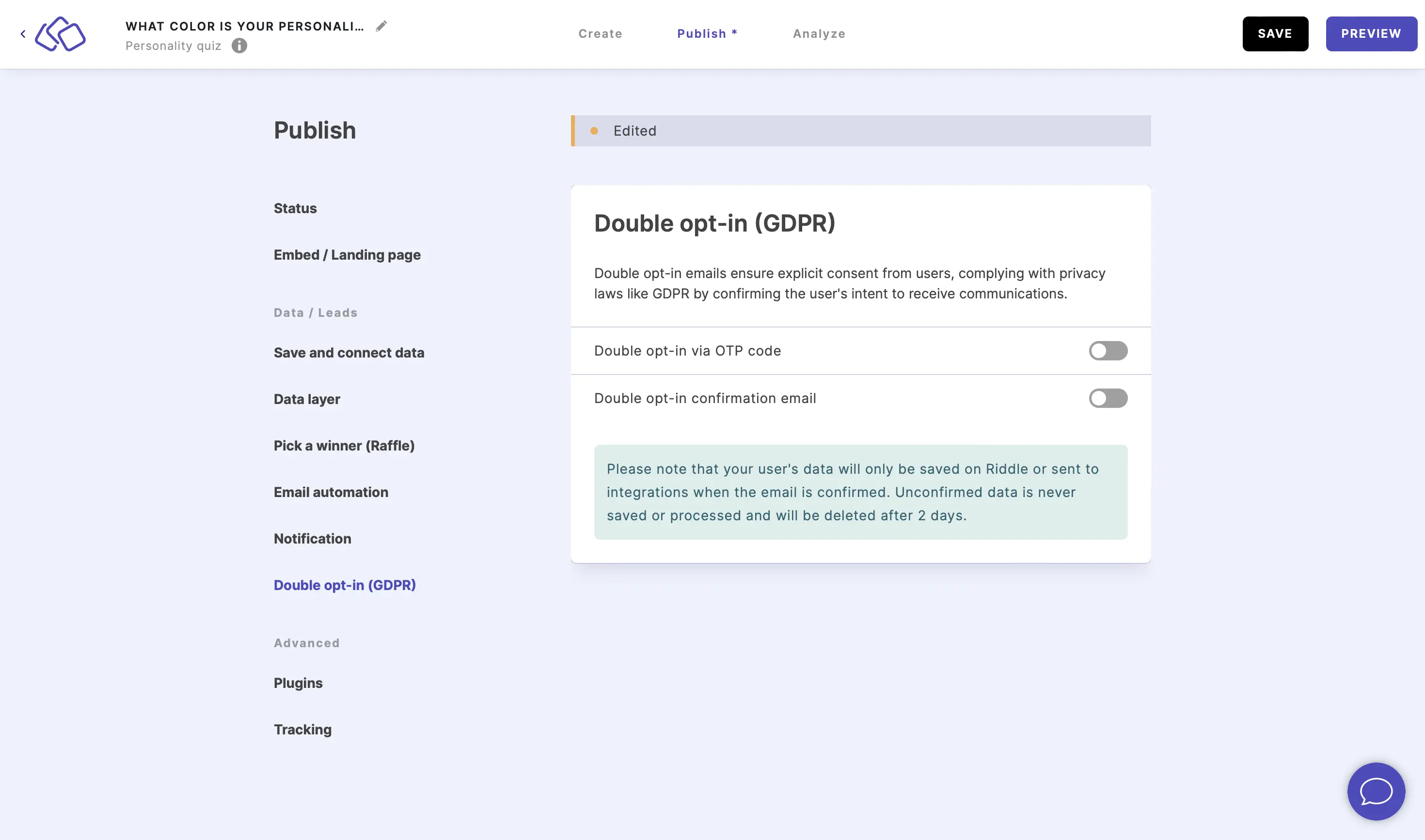
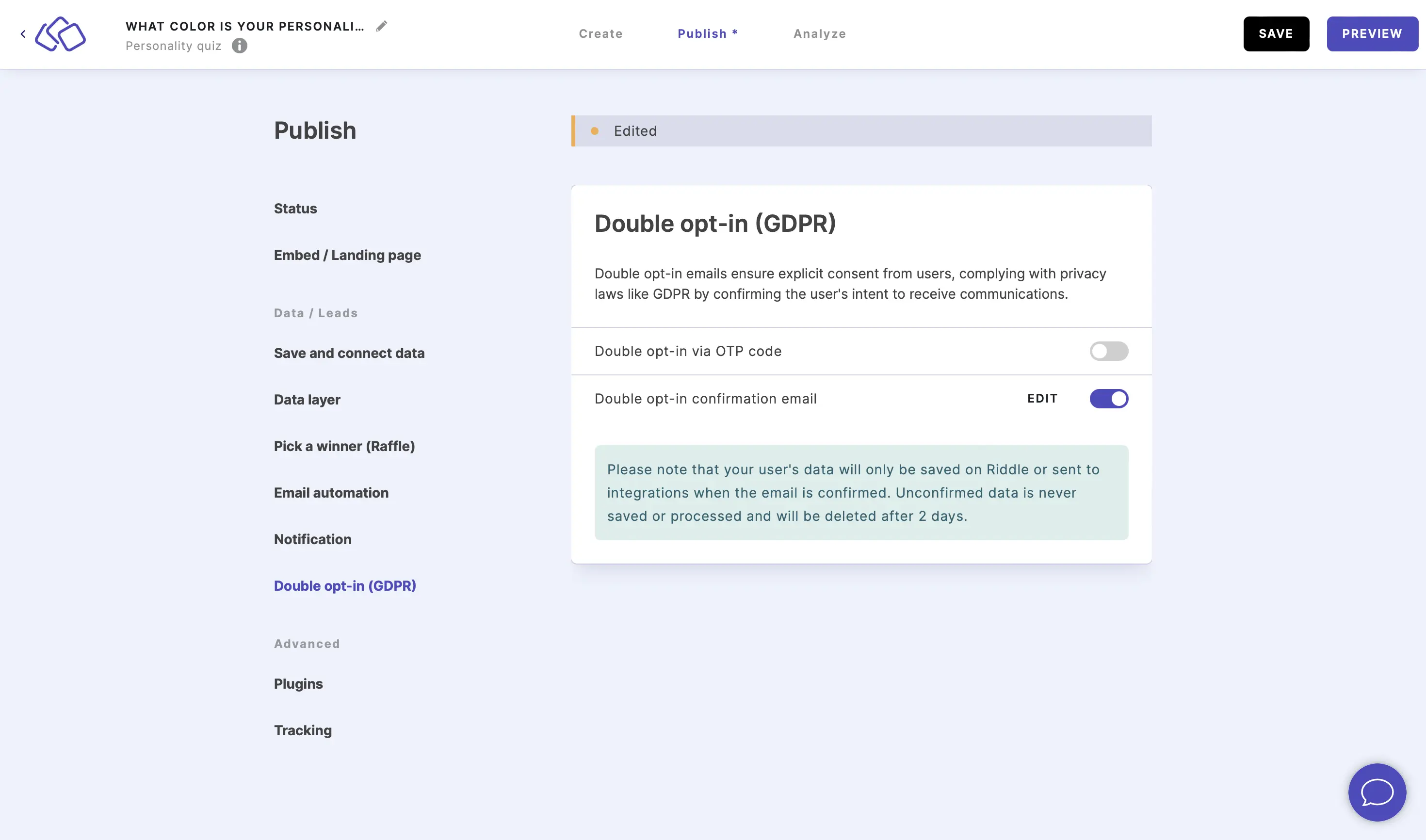
- Enable Double opt-in confirmation email or click on EDIT if you already enabled it.
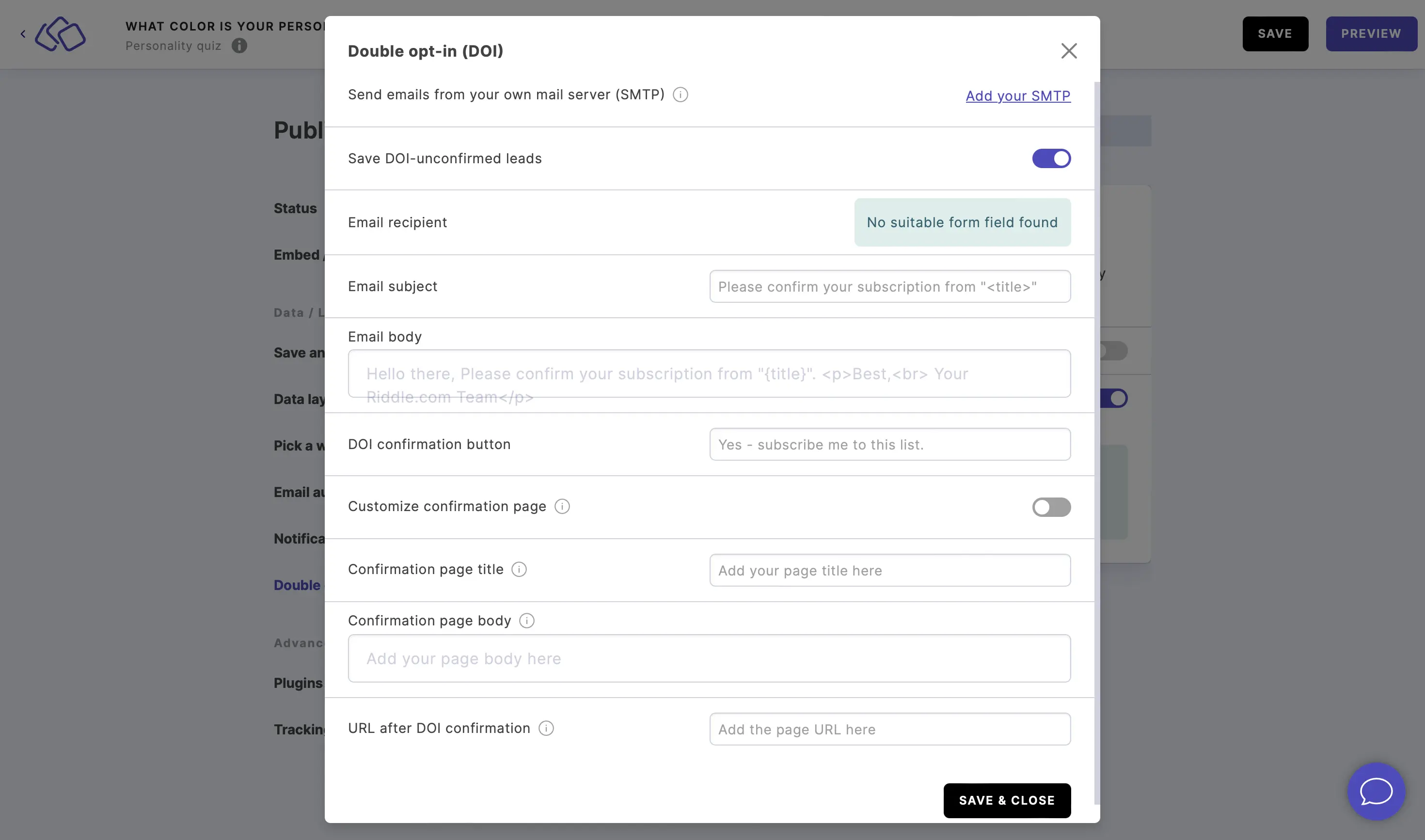
- Enable Save DOI-unconfirmed leads, make any other changes to your DOI, and click on SAVE & CLOSE.
- In any future lead export, DOI-confirmed entries will be indicated with a time stamp and DOI-unconfirmed email addresses will be marked as "unconfirmed".