
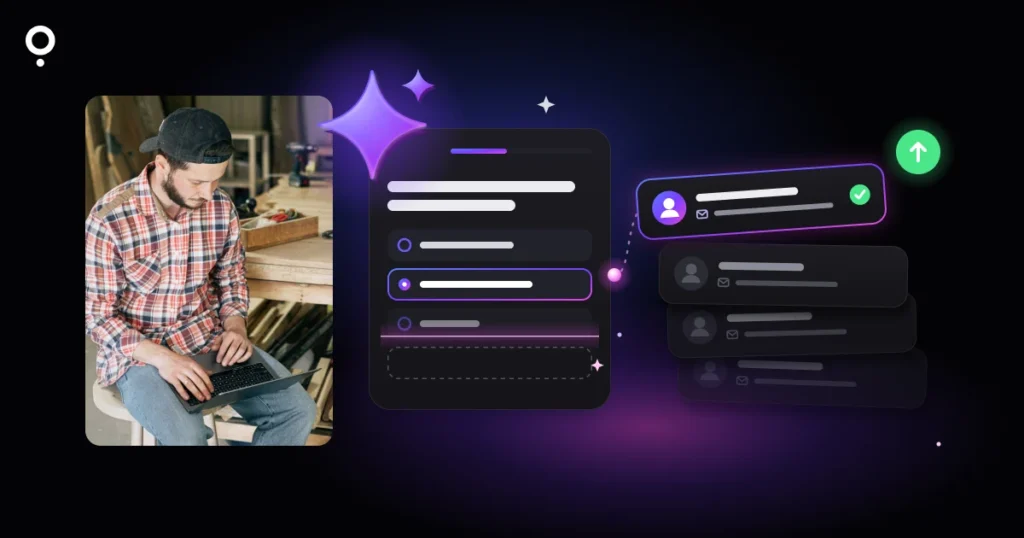
An AI quiz generator for lead capture saves you the slowest part of the job: writing ten good questions and four results from a blank page. It does not collect a single email address by itself, though. The leads come from what you add after the draft: a form at the right moment, a consent checkbox, a result worth reading and a follow-up email.
This guide walks through both halves in Qzzr. First the AI draft, from a topic or from a page on your website. Then the lead capture setup that turns quiz takers into contacts in your email tool. Everything here works on the free plan, which has no time limit.
The short answer
- Let the AI create a quiz, poll/survey or personality quiz from a topic or a URL, then edit it.
- Add a form block before the result, with a consent checkbox and, if you need it, double opt-in.
- Connect your email tool (Mailchimp, ActiveCampaign, AWeber or Brevo) or a webhook, and set up an automated result email.
- Watch leads and CTA clicks under Analyze and fix the step where people drop off.
What the AI does, and what stays your job
Qzzr’s AI builds three kinds of content: quizzes, polls/surveys and personality quizzes. You give it a topic, or you paste a URL and it reads the page. With a URL you also pick the number of questions and a difficulty. A few moments later you have a full draft you can edit, embed or share.
What the AI can’t know is your offer. It doesn’t know which answer means “ready to buy” and which means “just browsing”, or what you want people to do after the result. That part decides whether the quiz brings in leads, so it stays with you.
| Step | Who does it |
|---|---|
| Questions, answers, results (first draft) | The AI, from a topic or URL |
| Tone, wording, your examples | You, in the editor |
| Form block, consent, double opt-in | You |
| Result buttons and redirects | You |
| Email tool or webhook, follow-up emails | You, once per quiz |
How to use an AI quiz generator for lead capture, step by step
Step 1: Pick the quiz type for your lead
A personality quiz (“Which marketing style fits your shop?”) works well when your audience falls into a few clear groups and you have something different to offer each one. A scored quiz (“How ready is your website for more traffic?”) suits consultants and service businesses, because a low or high score tells you how urgent the problem is. A poll or survey is the lighter option when you mainly want opinions plus an email address.
Step 2: Generate the draft from a topic or URL
In the Creator, click CREATE CONTENT. For a page you already have, such as a service page, a guide or a blog post, choose “Create from URL with AI”, select the type, enter the URL, the number of questions and the difficulty. The quiz then uses your own wording and examples, which makes it feel like part of your site. We cover this route in detail in how to turn a blog post into a quiz.
No page yet? Start from a topic. Be specific about the reader: “a quiz for yoga studio owners about how they fill their classes” gives you better questions than “a marketing quiz”.
Step 3: Edit like a human
Read every question aloud. Cut the ones your customers would never ask themselves, and rewrite answers so they sound like the people you talk to every week. Then spend the most time on the results. A result that describes the reader’s situation in two honest sentences is the reason they’ll want the next step from you.
If you want more variety than multiple choice, Qzzr has 30+ formats, from Likert scales and tier lists to “order it” and swiper questions.
Step 4: Add the form block
Put the form block between the last question and the result. At that point people have invested a few minutes and want to see their outcome, so they are most willing to type in a name and email. Ask only for what you’ll use. The form breakdown in the stats shows how many people see each form block, submit it or skip it.
The Data & Tracking consent block adds a consent checkbox with your own label and text, with room for a link to your privacy policy. For a cleaner list, switch on double opt-in under PUBLISH, Privacy / Opt-in: a confirmation link by email, a one-time code by email or a code by SMS. Only people who confirm are saved as verified leads.
Step 5: Give every result a next step
Add a button to the result page that links to your offer, a booking page or a product. In a personality quiz each personality can have its own button and link. In a scored quiz or a poll/survey you can also redirect people straight to a URL based on their result, for example high scorers to your pricing page and everyone else to a free guide.
Step 6: Send the leads where you work
Qzzr connects natively to Mailchimp, ActiveCampaign, AWeber, Brevo and Google Drive. In Mailchimp you can tag and segment contacts by their quiz result. In ActiveCampaign you map the overall result, the score and single answers to custom fields. For a CRM without a native integration, the webhook sends every completed quiz as JSON to any endpoint, including Zapier, Make and n8n. We compared the email options in quiz makers for Mailchimp and ActiveCampaign.
Then set up an automated result email under PUBLISH, Email automation. It goes out after someone finishes the quiz, can be personalized with their name, and you can add conditional emails, one per result. This works on the free plan too.
Where to put the quiz
Embed it on the page it came from, on a landing page for an ad, or in a blog post with related search traffic. You can embed on as many domains as you like. Every published quiz also gets its own landing page, so you can share it by link, by QR code on a flyer or in your social bio without touching your website.
For more ideas on placement and on keeping the opt-in friendly, read our guide to quiz lead generation without the hard sell.
How to tell whether it works
Open Analyze. The overview shows views, starts, completions and leads, so you see where people leave. Under Leads & CTA you find completed and incomplete leads, leads that haven’t confirmed their email yet, and how often each result button was clicked. If many people start but few finish, the quiz is too long. If many finish but skip the form, ask for less or explain what they get for their email.
Running ads? Send quiz events to Google Analytics or the Meta Pixel and judge the campaign by leads, not clicks.
Honest limits
- You can create 30 AI Qs per month, on Free and on Pro. The free plan itself includes unlimited quizzes, so you can keep building by hand.
- The free plan includes 300 completions in total, with no monthly reset. After that, Pro costs $9/month, billed monthly, for 1,000 completions per month, and each extra 1,000 costs $5/month. Quizzes are paused, not deleted, when the free completions are used up.
- Qzzr branding stays on every plan. You can add your own logo and footer text.
- There are no PDF reports for quiz takers. Use the result page and the result email instead.
- The MCP connector (coming soon) will let you create and publish quizzes by chatting in Claude or ChatGPT. Until then, the AI lives in the Qzzr Creator.
Qzzr is EU-based and GDPR compliant by default, and stores IP addresses only as hashes. A Data Processing Agreement is available, which matters once you collect emails from EU visitors.
When Qzzr Isn’t the Right Fit
If your lead quiz must carry only your brand, or you expect so many quiz takers that counting completions gets in the way, look at Riddle, from the same team. Every Riddle plan from Pro includes unlimited responses and leads, and you can remove the Riddle logo. There is no free plan, but a 14-day trial with no credit card.
FAQ
Can AI build a lead generation quiz from my website?
Yes. In Qzzr choose Create from URL with AI, enter the address of a page, pick the quiz type, the number of questions and a difficulty. You then add the form block and the follow-up yourself.
Which quiz type captures the most leads?
It depends on your offer. Personality quizzes suit audiences that split into clear groups, scored quizzes suit consultants and service businesses who want to see how urgent a problem is. Test one and compare leads per view in the stats.
Where should the lead form go in a quiz?
Between the last question and the result. People have invested a few minutes by then and want their outcome, so they are most willing to leave an email.
Can I use double opt-in for quiz leads?
Yes. Under PUBLISH, Privacy / Opt-in you can choose a confirmation email, a code by email or a code by SMS. Only confirmed leads are saved as verified.
How many AI quizzes can I create for free?
30 AI-generated Qs per month, on the free plan and on Pro. The free plan has no time limit and includes 300 completions in total; Pro is $9/month, billed monthly, for 1,000 completions per month.
Pick one page on your site that already gets visitors, let the AI turn it into a quiz, and spend your time on the results and the form. You can build and test the whole flow on the free plan.