
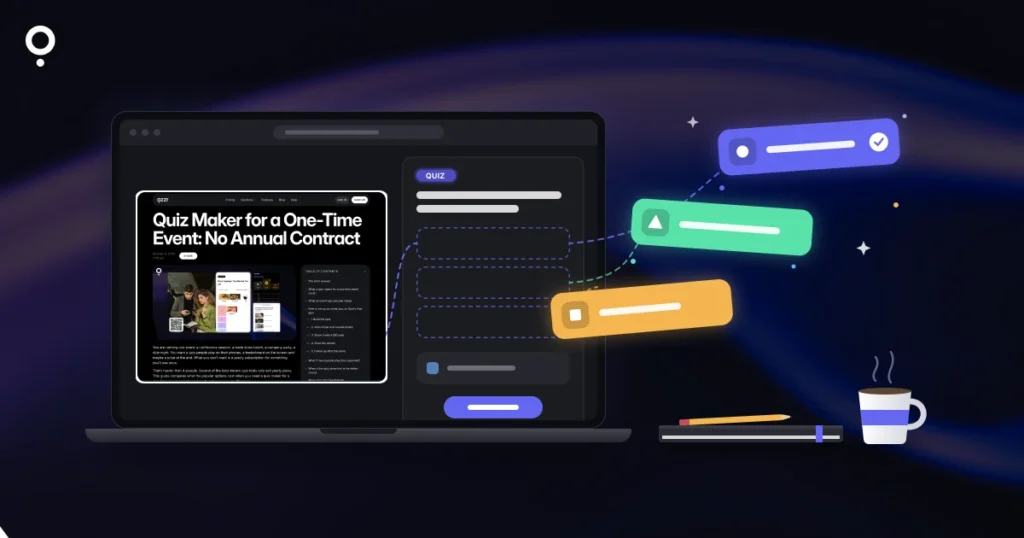
You already wrote the article. It answers a real question, it ranks a little, and readers skim it and leave. If you turn a blog post into a quiz, the same content gets a second job: readers test what they just learned, stay longer, and can leave their email address for the result. The catch used to be time. Writing ten good questions by hand takes longer than most people want to spend on an old post.
AI changes that. This guide shows how to generate a quiz from a blog post or any other URL, how to check what the AI wrote, and how to put the quiz back into the post without slowing the page down. It uses Qzzr, which is free to start with no time limit, and it is honest about where the tool stops.
The short answer
- Pick a post with concrete facts, steps or tips. Those make the clearest questions.
- Paste the URL into an AI quiz builder. In Qzzr: CREATE CONTENT > Create from URL with AI, then choose the type, the number of questions and the difficulty.
- Check every question against the article before you publish. The AI writes a draft, you own the result.
- Embed the quiz in the post with lazy loading switched on, and add a form if you want leads.
Why turn a blog post into a quiz?
A blog post asks readers to read. A quiz asks them to do something. That small shift helps in a few ways:
- A reason to finish the article. “Test yourself at the end” gives skimmers a goal.
- A natural place to ask for an email. People who want their score or a personalized result are happy to leave an address, and you can send the result by email automatically.
- Feedback on your content. The answer breakdown shows which points readers got wrong, which is often a sign the post explains them badly.
- Something new to share. A quiz has its own link and QR code, so an old post gets a fresh reason to show up in a newsletter or on social media.
For more on how quizzes fit into a content plan, see our guide to quiz content marketing.
What to look for in a URL-to-quiz tool
Several AI quiz makers can read a page and draft questions from it. Before you pick one, check it against these points:
| Requirement | Why it matters | How Qzzr handles it |
|---|---|---|
| Reads a URL, not just a topic | The questions should match your article, not a generic version of the subject. | Create from URL with AI takes the link directly. |
| More than one format | Not every post suits a knowledge test. | Quiz, poll/survey or personality quiz. |
| Control over length and level | Five easy questions and fifteen hard ones are different experiences. | You choose the number of questions and the difficulty. |
| Full editing afterwards | You will want to fix wording and add explanations. | The draft opens in the normal editor. |
| Lightweight embed | The quiz must not slow down the post it lives in. | Lazy loading, no plugin needed. |
| AI on the free plan | You should be able to test the feature before paying. | 30 AI-generated Qs per month on Free and Pro. |
If you want to compare several AI quiz makers side by side, we did that in the best AI quiz makers in 2026.
How to generate a quiz from a URL, step by step
1. Pick the right post
Posts with clear facts, numbered steps, definitions or tips work best: a how-to guide, a checklist, a “10 things you didn’t know” article. Opinion pieces and very short posts give the AI little to ask about. For those, a poll (“Which of these do you do?”) or a personality quiz (“Which type of planner are you?”) is often a better fit than a scored quiz.
2. Paste the URL into the AI builder
In the Qzzr Creator, click CREATE CONTENT and choose Create from URL with AI. In the pop-up, select a type (quiz, poll/survey or personality quiz), enter the URL of your post, choose the number of questions and select a difficulty. The AI then builds the Q for you.
A practical tip: start with fewer questions than you think you need. Five to eight questions are easy to check and quick to answer. You can always add more by hand.
3. Check every question against the article
This is the step that separates a useful quiz from an embarrassing one. Read each question next to your post and ask:
- Is the correct answer actually stated in the post, in the same terms?
- Are the wrong answers clearly wrong, or could a careful reader argue for one of them?
- Does the question test something that matters, or a detail nobody needs to remember?
- Is anything out of date? If the post is old, the quiz will repeat its old facts.
Rewrite or delete anything that fails. Then make it yours: add a short explanation after each answer that points back to the right section of the post, and adjust the result screen so it suggests what to read next.
4. Add a form and a result email (optional)
If the quiz should bring in leads, add a form block before the result. Qzzr supports double opt-in by email, OTP or SMS OTP, and it can send automated, personalized result emails after completion, on the free plan too. Leads go natively to Mailchimp, ActiveCampaign, AWeber, Brevo and Google Drive, or to Zapier, n8n, Make and other tools via webhook. Our guide on capturing leads without the hard sell explains where to place the form.
5. Embed the quiz back into the post
Copy the embed code and paste it at the end of the article, or right after the section the quiz is about. On WordPress, use a Custom HTML block; on Wix, use the HTML iFrame element. No plugin is needed. Under PUBLISH > Embed/Landing page > ADVANCED, keep these settings in mind:
- Lazy load Q loads the quiz only when the reader scrolls to it, so the article itself loads as fast as before.
- Boost your SEO puts the quiz text (questions, answers, explanations) into the embed code so Google can read it.
- Max width of 640px is recommended, so the quiz sits comfortably inside a blog column.
Changing an advanced setting changes the embed code, so paste the new code afterwards. Content edits are different: after you re-publish the quiz, every embed updates automatically. Every quiz also gets its own landing page with a link and QR code, if you want to share it without the article.
Ideas: which quiz fits which post
| Type of post | Quiz idea | Format |
|---|---|---|
| How-to guide | “Could you do it without the guide?” Five questions on the key steps. | Quiz |
| Checklist or tips list | “How many of these do you already do?” | Poll/survey |
| Explainer of options or styles | “Which approach fits you?” with one result per option. | Personality quiz |
| Industry news or trends | “What do you expect next?” to collect opinions. | Poll/survey |
| Course or lesson summary | A short knowledge check with explanations. | Quiz |
Once you have a few posts with quizzes, check the analytics. Completions, the answer breakdown and leads per quiz tell you which topics readers care about, and which posts deserve the next quiz.
Honest limits
- 30 AI-generated Qs per month, on both Free and Pro. That is plenty for a blog, but it is not a bulk tool for converting hundreds of posts at once.
- The AI writes a draft, not a final quiz. Plan a few minutes per quiz for checking.
- Qzzr branding stays on every plan. You can add your own logo and footer text.
- No PDF export of quizzes or results.
When Qzzr Isn’t the Right Fit
If your quizzes must carry only your own brand, or you need a white-label setup for clients, Qzzr is not the tool for that. Riddle, from the same team, lets you remove its branding on all paid plans.
Prefer to work in Claude or ChatGPT?
Qzzr’s MCP connector (coming soon) will let you create, edit and publish quizzes by chatting in Claude, ChatGPT or another AI assistant. If you already draft your blog posts with an assistant, the quiz can then be the last step of the same conversation, and you still check it before it goes live.
FAQ
How do I turn a blog post into a quiz?
Paste the post’s URL into an AI quiz builder. In Qzzr, click CREATE CONTENT, choose Create from URL with AI, select a type, the number of questions and a difficulty. Check the draft against the article, then embed it in the post.
What is the best tool to generate a quiz from a URL?
Look for a tool that reads the URL itself, offers several formats, lets you set length and difficulty, and embeds without slowing the page. Qzzr does all of this and includes AI on the free plan.
Can I make a poll or personality quiz from a URL?
Yes. Create from URL with AI builds a quiz, a poll/survey or a personality quiz from the same link.
Do I need to check the AI’s questions?
Yes. Read every question next to the article, make sure the correct answer is stated in the post and the wrong answers are clearly wrong, and update anything out of date.
Will the quiz slow down my blog post?
Not with lazy loading. The Lazy load Q option loads the quiz only when it becomes visible, so the article loads as before.
Is it free?
Yes. Qzzr’s free plan has no time limit, includes all features and 30 AI-generated Qs per month, with 300 completions in total. Pro costs $9/month, billed monthly, for 1,000 completions per month.
Pick one post that already gets traffic and turn it into a quiz today. It takes a few minutes on the free plan, and you’ll see in the analytics whether readers want more.