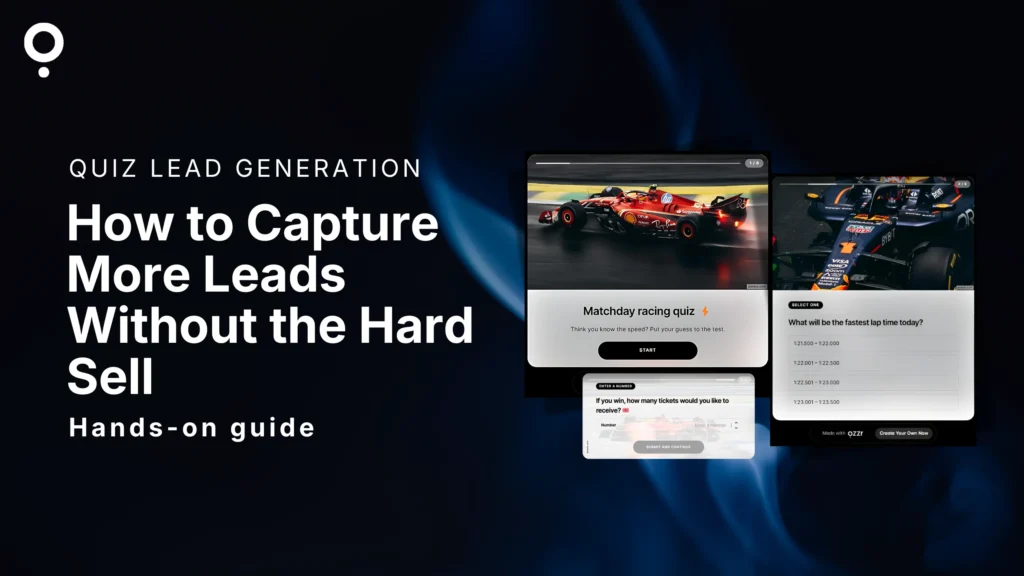
TL;DR: Quiz lead generation places a short opt-in form between a quiz’s final question and the results screen. Because the user is already invested and curious, opt-in rates average 35 to 55%. That’s 20 to 25 times better than a pop-up. This guide shows small business owners and lean marketing teams how to build, place, and follow up on quiz lead forms – no dev work, no overpriced tools required.What is quiz lead generation?
Pop-ups get closed. Cold forms get ignored. “Sign up for our newsletter” gets laughed at.
Quiz lead generation is different. You build a short interactive quiz. The user answers 5 to 8 questions. Right before they see their result – when they’re most curious – a lead form appears. They hand over their email willingly. Because they want what comes next.
That’s it. Simple. And it works.
You’ve got a few ways to set it up:
Block the results page entirely until they opt in. Or show the result but gate the reward – a discount, a personalized report, a special offer – behind the form. Or keep the form optional and let the value of the result do the work.
Qzzr quiz maker has all of this built in. The lead form is native – no third-party embed, no Zapier workaround. You control the gate, the reward, and the placement. You can also send follow-up emails directly from Qzzr, so if you’re just starting out and don’t have a full email platform yet, you’re still covered.
It works for coaches, e-commerce shops, consultants, bookkeepers, creators – any small business that wants to grow a list without cold outreach, paid list rentals, or pop-ups people swipe away on instinct.
Why it works: the psychology behind the opt-in
Standard lead forms fail for one reason. They ask before they give. Show up, hand over your email, maybe get something useful later. It’s a bad deal and people know it.
A quiz flips the dynamic completely.
Three things happen that don’t happen with a cold form:
Curiosity gap. Nine questions in, you want your result. That’s the exact moment the form appears. The user is already invested. Stopping now – right before the payoff – costs more than typing an email address.
Reciprocity. The quiz gave them something: questions about their situation, their preferences, their problems. The form feels like a fair trade, not a squeeze.
Commitment and consistency. Once someone has answered five questions, they’ve made a series of small decisions. Stopping now contradicts all of them. People are wired to finish what they start.
None of this is manipulation. It’s design. Build something worth completing. Ask at the moment someone most wants to say yes.
The numbers: quiz lead gen stats that matter
Numbers from the Riddle 2025 Quiz Marketing Report, built on 3.13 billion quiz answers and 8.96 billion data points.
Metric Quiz Standard Content Average session duration 2 min 48 sec 54 seconds Engagement multiplier 3.02x more engagement Baseline Lead form opt-in rate Up to 55% 1.95% (pop-ups) Start rate (embedded quiz) 19.4% of page visitors N/A Lead form completion rate 28.6% N/A The opt-in rate is the one that matters. A pop-up converts under 2% of visitors. A quiz lead form converts 35 to 55% of users who reach it.
That’s not a marginal improvement. It’s a different category.
Users spent 32.8 million hours interacting with quiz content in 2024. People don’t scroll past a quiz. They click.
Which quiz format works best for lead gen?
Not all formats produce the same opt-in rates. Match the format to the promise you make.
Quiz Format Best For Lead Form Hook Personality quiz Coaches, consultants, lifestyle brands “Get your personalised results by email” Assessment / audit quiz B2B, professional services, health “Get your full score breakdown + a free review” Product recommendation quiz E-commerce, any product-led business “See your top picks and get 10% off” Knowledge / trivia quiz Publishers, educators, content creators “See how you ranked and get the full guide” Predictor Sports, events, seasonal campaigns “Find out if your prediction was right” Personality and assessment quizzes get the highest opt-in rates. The result feels personal – built for this specific person based on their specific answers. That’s what makes the email feel worth sharing to receive it.
Knowledge quizzes work for competitive audiences. The “how did I do vs everyone else?” instinct drives the opt-in.
Product recommendation quizzes are the move for e-commerce. The quiz replaces the sales conversation. The result is a recommendation, not a pitch.
Three real-world examples
Example 1: Solo fitness coach
Quiz: “What’s your biggest fitness obstacle right now?”
Format: Assessment quiz, 6 questions about routine, schedule, and goals.
Lead form hook: “Get your personalised training plan by email.”
What it captures: Email plus answer data that tells the coach exactly which program fits this lead – before a single conversation has happened.
Why it works: The lead arrives pre-qualified. The coach already knows what they struggle with. The first email isn’t cold. It’s relevant from line one.
Example 2: Home decor e-commerce shop
Quiz: “What’s your interior design style?”
Format: Personality quiz, 7 questions about color, room types, and budget.
Lead form hook: “Get 10% off products matched to your style.”
What it captures: Email plus style profile. Each result type – minimalist, bohemian, industrial, Scandinavian – triggers a different product email.
Why it works: The discount gives a transactional reason to opt in. The personalization makes the follow-up feel curated, not broadcast.
Example 3: Independent bookkeeper
Quiz: “Is your small business financially ready to scale?”
Format: Audit quiz, 8 questions covering cash flow, tax planning, invoicing, and growth stage.
Lead form hook: “Get your score breakdown and book a free 15-minute call.”
What it captures: Email plus answers that pre-qualify the lead before the discovery call.
Why it works: The quiz positions the bookkeeper as an expert before the first word is spoken. The lead shows up to the call already thinking about their finances. That’s a different conversation.
Try one yourself
Here’s a live personality quiz built for lead generation – see exactly how it works.
How to build a quiz lead gen flow: step by step
One-time setup. Once it’s live, it runs without you.
Step 1: Pick your goal. Email list growth, qualified call bookings, product sales, audience segmentation – one goal per quiz. Your goal shapes every decision that follows.
Step 2: Choose a format. Personality and assessment quizzes produce the highest opt-in rates. Selling products? Go recommendation quiz. Match the format to the result you’re promising.
Step 3: Write 5 to 8 questions. Fewer questions, higher completion rates. Over 8 and drop-off climbs fast. Each question should feel like a conversation, not a form. Ask about their situation, not yours.
Step 4: Place the lead form before the results screen. Peak curiosity. Peak intent. This is the only placement that consistently hits 35 to 55% opt-in rates.
Step 5: Write a compelling hook. “Sign up for our newsletter” is not a hook. Name the specific thing they get: a personalised plan, a discount code, a score breakdown, a free call. Specific beats vague every time.
Step 6: Make the form optional. Counterintuitive but consistent in the data. Forced forms fill your list with fake emails. An optional form with a strong offer builds a list of people who actually want to hear from you. That’s the quiz funnel working as designed.
Step 7: Connect your email tool and set up follow-up. Quiz leads go cold fast. Connect Qzzr to Mailchimp, ActiveCampaign, Brevo, or AWeber. Or send directly from Qzzr if you’re not on an email platform yet. Either way – have the first email ready before you hit publish. Reference the quiz result in the subject line. It’ll be the most personal email you’ve ever sent at scale.
Ready to try it? Build your first quiz funnel in Qzzr free – no card required, no locked features.
Where to place the lead form
Placement is the biggest lever for opt-in rates. Three options. Two of them underperform.
Before question 1 – avoid. No trust built. No investment made. It’s a cold pop-up with extra steps.
Between the last question and the results – use this. The user is maximally curious and maximally invested. This is where 35 to 55% opt-in rates happen. Use it.
After the result screen – weaker, but workable. They already got what they came for. You need a strong secondary offer: a detailed PDF, a follow-up call, an exclusive discount. Expect lower rates than pre-result, but higher quality than a cold opt-in.
What to do with quiz leads after you capture them
The opt-in isn’t the finish line. It’s the starting gun.
Every answer a user gives is a signal. Quiz answers are zero-party data: willingly given, inherently accurate, no cookies required. The person who said they’re a complete beginner needs different emails, different offers, and a different tone than the person who’s been doing this for three years.
Set up two or three result-based sequences. Each one starts from the user’s specific result and speaks directly to their situation. That’s what converts quiz leads into paying customers. Generic broadcast emails from quiz lists waste everything the quiz was built for.
Three things to do before you go live:
First, set up a welcome email that fires within five minutes of the opt-in. Reference the quiz result. Name what’s coming and when.
Second, tag each lead in your email tool based on their result. Use those tags to trigger different sequences from day one.
Third, check your opt-in rate after 100 completions. Below 25%? Test a different hook. The quiz is usually fine. The form copy is usually the problem.
Common mistakes to avoid
Too many questions. Eight is the ceiling. Every question after that loses someone. If you need more data, run multiple quiz types over time.
Forcing the form. Mandatory forms generate fake emails and low-quality lists. Optional forms with a real offer win every time.
Vague form copy. “Enter your email to continue” is not a value proposition. Name the thing. Make it specific.
No follow-up sequence. A lead with no email is a missed conversation. Build the sequence before the quiz goes live. Not after.
Asking for too much. Name and email. That’s it. Phone number, job title, company size – save that for the sales call.
Survey-style questions. “How often do you purchase in this category?” is a survey. “What’s the biggest thing slowing you down right now?” is a conversation. Write conversations.
How Qzzr handles quiz lead generation
No locked features. No surprise paywalls. No annoying upsells.
Qzzr includes lead capture on every plan – including the free plan. Built-in, native, no third-party embed needed. You control form placement, result gating, reward delivery, and follow-up emails directly from the platform.
The free plan includes 300 completions with full functionality. No credit card. After 300, it’s $9 a month for 1,000 completions. Need more? Add 1,000 for $5. That’s it.
For a small business running one or two quizzes, that’s pricing that fits actual usage, not a bill designed to scale you into an enterprise tier you’ll never need.
You build the quiz funnel, connect your email tool (or send directly from Qzzr), embed it on your site or drop the link anywhere, and the leads come in.
Ready to build your first lead gen quiz?
no credit card, no locked features
Got questions?
What is quiz lead generation?
It’s the practice of placing an email opt-in form inside a quiz, between the last question and the results screen. The user is invested and curious. They opt in because they want their result – not because you chased them.
Do quiz lead forms really outperform pop-ups?
Yes. Quiz lead forms average 35 to 55% opt-in rates. Pop-ups average under 2%. The difference is context. A pop-up interrupts. A quiz lead form shows up at the exact moment someone wants to say yes.
Should the lead form be mandatory or optional?
Optional. Forced forms fill your list with fake emails. An optional form with a clear offer builds a smaller but far higher-quality list. Focus on the offer, not the gate.
How many questions should a lead gen quiz have?
5 to 8. Below 5, the result feels thin. Above 8, people drop off. Keep it focused and conversational.
Can I connect quiz leads to my email marketing tool?
Yes. Qzzr integrates natively with Mailchimp, ActiveCampaign, Brevo, and AWeber. Leads flow straight into your email tool and can trigger automated sequences based on quiz results. You can also send emails directly from Qzzr, or export leads as a CSV.
What quiz type generates the most leads?
Personality and assessment quizzes consistently get the highest opt-in rates. The result feels personal, which makes the email feel worth it. Product recommendation quizzes work best when there’s a discount or curated list behind the form.
Is quiz lead generation GDPR compliant?
Qzzr is fully GDPR compliant. Lead data is stored on secure European servers. You control consent language, double opt-in settings, and data retention. No cookies dropped on quiz takers by default.