
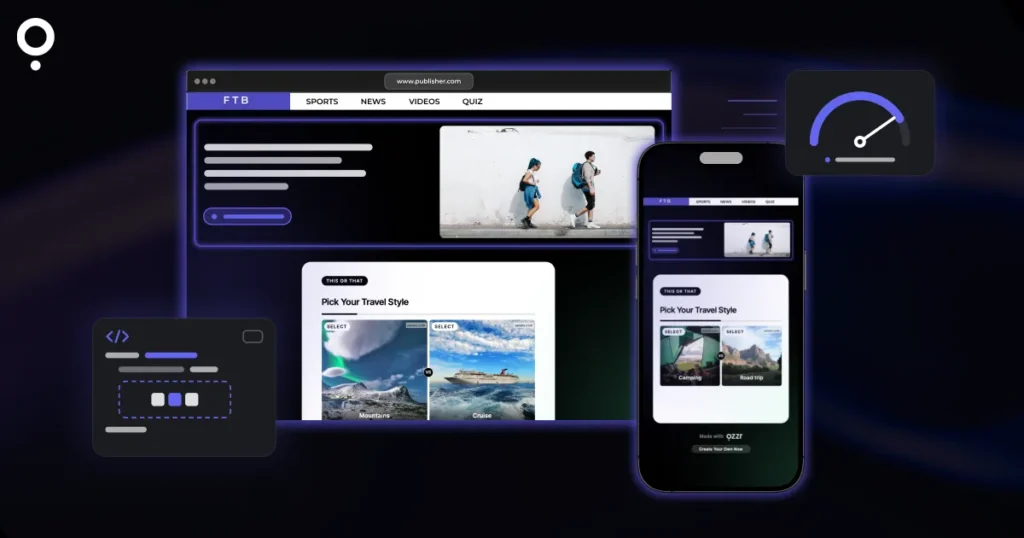
A quiz will keep visitors on a page longer and turn readers into leads. The worry is speed: nobody wants to add something that makes the page feel heavy. The good news is that you can embed a quiz on WordPress or Wix in a way that keeps it out of the page’s first load: the quiz only loads when a visitor scrolls to it.
This guide shows how that works, which settings matter, the exact steps for both platforms, and a short checklist you can use to judge any quiz tool before you put it on your site.
The short answer
- Use a hosted quiz in an iframe, not a heavy plugin. The quiz runs on the quiz tool’s servers, and your page only holds a short snippet.
- Turn on lazy loading. In Qzzr, “Lazy load Q” loads the quiz only when it becomes visible. Qzzr recommends it because it speeds up your page’s load time.
- Paste the code in the right place. WordPress: a Custom HTML block. Wix: an HTML iFrame element. Never the normal text editor.
- Or skip the embed. Every Qzzr quiz also gets its own landing page you can link to, which adds nothing to your page at all.
Why some quizzes slow a page down
Whatever loads together with your page competes for the visitor’s bandwidth and the browser’s attention. A quiz brings questions, images and the code that runs it. If all of that loads the moment the page opens, even though the quiz sits halfway down an article, the visitor waits for something they have not even seen yet.
There are two ways to add a quiz to a site:
- A plugin installs the quiz builder inside your WordPress site. It runs on your hosting and adds its own code to your install.
- A hosted quiz tool keeps the quiz on its own servers. You paste a short snippet that shows the quiz in an iframe, a window into the quiz tool. The same snippet works on Wix, which doesn’t run WordPress plugins.
With a hosted quiz, the question that decides speed is simple: does the iframe load right away, or only when someone gets close to it? That is what lazy loading controls.
The embed settings that matter for speed
In Qzzr you find these under PUBLISH > Embed/Landing page > ADVANCED. They are on the free plan, like every other feature.
| Setting | What it does | Recommendation |
|---|---|---|
| Lazy load Q | Loads the quiz only when it is actually visible to the visitor. When it is off, the quiz loads every time the page loads. | On (Qzzr’s recommendation) |
| Lazy load images | Loads quiz images just in time instead of all at once before the quiz starts. | On for image-heavy quizzes |
| Boost your SEO/Google ranking | Puts the quiz text (questions, answers, explanations) into the embed code so Google can read it. | On if the quiz text helps the page rank |
| No JavaScript | Removes JavaScript from the embed code. The quiz no longer resizes itself, so you set a fixed height. | Only if your site builder strips scripts |
| Max. width | How wide the quiz can get. It still shrinks on phones and tablets. | 640px (Qzzr’s recommendation) |
One thing to know: changing any of these settings changes the embed code itself, so copy the new code and replace the old snippet. Edits to the quiz content are different. Publish the quiz again and every embed updates on its own, without touching your website.
How to embed a quiz on WordPress or Wix: WordPress first
You do not need a plugin. The embed code is a short snippet of JavaScript and CSS that loads the quiz in an iframe and resizes it automatically on desktops, tablets and phones.
- Publish your quiz. It has to be published before it loads on your site.
- In Qzzr, go to PUBLISH > Embed/Landing page > ADVANCED and turn on Lazy load Q.
- Click GET THE CODE, then COPY.
- In the WordPress editor, add a Custom HTML block where the quiz should appear and paste the code. In Elementor or another page builder, use its HTML element.
- Update the page and check it on your phone too.
Always paste the code as raw HTML, never into a normal paragraph. The visual editor turns code into text. For more on choosing a quiz tool for WordPress content, see our guide to the best quiz tool for WordPress.
How to embed a quiz on Wix
Wix uses the same embed code, placed in an HTML iFrame element:
- Make room for the quiz on your Wix page.
- In the left menu, click Add > More > HTML iFrame.
- Copy the embed code in Qzzr (PUBLISH > Embed/Landing page > GET THE CODE), with Lazy load Q switched on.
- Back in Wix, click Paste code and paste it.
- Drag the frame handles: as wide as your site, and somewhere between 50% and 75% high to start. Adjust until the quiz has enough room.
- Click Save and Publish, then check the quiz on the live site, not in Preview, and in the mobile view.
If your Wix site runs on a custom domain and you restrict which domains can show your quiz, allow usrfiles.com, not your own domain name. Wix serves embedded content from usrfiles.com in the background, even with a custom domain.
The fastest option: don’t embed at all
Every published Qzzr quiz gets its own landing page that you can share by link, QR code or social media, no embedding required. A button or text link to that page adds nothing to your page weight. It is a good fit for a homepage you want to keep lean, an email, or a printed flyer with a QR code. The QR code can also point to the page where your quiz is embedded.
When an optimizer gets in the way
Speed plugins and security plugins sometimes block or delay iframes. If the quiz only shows its loading animation:
- Turn off your security plugin briefly. If the quiz loads, allow third-party iframes in its settings.
- Using Smush from WPMU DEV? Disable its lazy loading for iframes. Qzzr’s own Lazy load Q does that job.
- For other optimization tools, switch them off for a moment. If the quiz then loads, check whether the tool can skip iframes.
- If the page jumps up and down when someone picks an answer, turn off Auto scroll under ADVANCED and paste the new code. If you have a sticky header, use the header offset setting instead (start with 150px).
What to check in any quiz tool before you embed it
We haven’t benchmarked other tools’ load times, so we won’t quote numbers for them. Instead, here are the questions to ask whichever quiz maker you test. Our roundup of quiz maker websites is a good place to find candidates.
- Can the quiz load lazily? Look for a setting that delays loading until the quiz is in view.
- Is it one snippet, or a plugin? A snippet works on WordPress, Wix and any builder that accepts raw HTML.
- Does it resize on phones by itself? A fixed-height frame can cut off answers on small screens.
- Is there a fallback without JavaScript? Useful if your builder strips scripts.
- Do content edits update the embed automatically? Otherwise every typo fix means re-pasting code.
- Is there a hosted page as well? Then you can link instead of embed where speed matters most.
Then measure. Run your page through a speed test before and after you add the quiz, with lazy loading on. That tells you more than any vendor promise, ours included.
Why small sites use Qzzr for embedded quizzes
- Free to start, no time limit: the free plan has every feature, including all embed settings, with 300 completions in total and no credit card. When you need more, Pro is $9/month billed monthly for 1,000 completions per month.
- Embed on as many sites as you like: there is no limit on the number of domains.
- Leads go where you need them: native integrations with Mailchimp, ActiveCampaign, AWeber, Brevo and Google Drive, plus a webhook for Zapier, n8n and Make. Automated result emails are included on the free plan too. More in our guide to quiz lead generation.
- Build it from a chat if you prefer: Qzzr’s MCP connector lets you create, edit and publish quizzes from Claude, ChatGPT or another AI assistant.
- No ads: your visitors never see ads in your quiz, on any plan.
The honest limits: the Qzzr branding stays on every plan (you can add your own logo and footer text), and the No JavaScript embed gives up automatic resizing, so you have to pick a fixed height.
Frequently asked questions
Will an embedded quiz slow down my website?
It doesn’t have to. With Qzzr’s Lazy load Q setting, the quiz only loads when it becomes visible to the visitor, so it doesn’t compete with the rest of your page on the first load.
Do I need a WordPress plugin to embed a quiz?
No. Paste Qzzr’s embed code into a Custom HTML block, or the HTML element of your page builder. The same code works on Wix and any site that accepts raw HTML.
How do I embed a quiz on Wix?
In Wix, click Add, More, HTML iFrame, then Paste code and paste the quiz’s embed code. Make the frame as wide as your site, adjust the height, save, publish, and check the live page and the mobile view.
Do I have to update the embed code when I edit my quiz?
No. Publish the quiz again and every embed updates automatically. You only copy new code when you change an embed setting such as lazy loading, width or auto scroll.
Why does my embedded quiz only show a loading animation?
Usually a security or optimization plugin is blocking the iframe. Turn it off briefly to test, allow third-party iframes, and if you use Smush, disable its lazy loading for iframes.
Can search engines read an embedded quiz?
With Qzzr’s Boost your SEO/Google ranking setting, the embed code includes the quiz text (questions, answers and explanations), so Google can read it.
The easiest way to see it for yourself: build a quiz on the free plan, embed a quiz on WordPress or Wix with lazy loading switched on, and run your speed test before and after.