
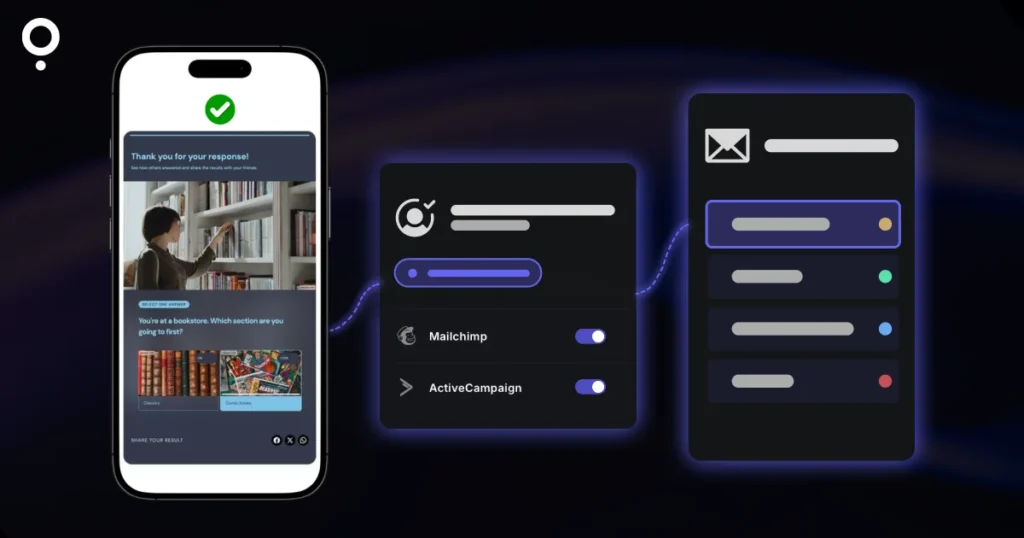
A quiz is one of the best ways to grow an email list, but only if the leads land in your email tool on their own. If you are comparing quiz makers that integrate with Mailchimp or ActiveCampaign, the logo on the integrations page is the easy part. The real questions are which plan unlocks the integration and what data actually arrives: just an email address, or the quiz result you want to segment on.
This guide compares five quiz tools with native Mailchimp and ActiveCampaign connections, shows which plan you need for each, and walks through the setup on Qzzr’s free plan.
The short answer
- Both integrations without paying: Qzzr includes native Mailchimp and ActiveCampaign integrations on its free plan (300 completions in total, no credit card, no time limit).
- Lead-gen quiz specialist: Interact connects to both from its Lite plan ($39/month billed monthly). Its free plan has no integrations.
- Watch the tier: involve.me includes Mailchimp from Start, but ActiveCampaign only from Grow ($99/month billed monthly). Outgrow’s standard plans come with one integration.
Quiz makers that integrate with Mailchimp and ActiveCampaign, compared
All details come from each vendor’s own pricing or integration pages. Prices are the monthly-billed list prices, so you are comparing like with like.
| Tool | Mailchimp | ActiveCampaign | Cheapest plan with the integration |
|---|---|---|---|
| Qzzr | Native, on the free plan | Native, on the free plan | Free (300 completions in total); Pro $9/month billed monthly |
| Interact | Native, from Lite | Native, from Lite | Lite $39/month billed monthly |
| involve.me | Native, from Start | Native, from Grow | Start $49/month for Mailchimp; Grow $99/month for ActiveCampaign (both billed monthly) |
| Outgrow | Native | Native | Quizzes need a paid plan, from Freelancer $22/month billed monthly; standard plans come with one integration |
| Typeform | Native | Not covered here | Not stated on Typeform’s integration page |
If you pay yearly, the paid plans above are cheaper: Interact Lite is $27/month, involve.me Start $29/month and Grow $69/month, Outgrow Freelancer $14/month, all billed yearly. Qzzr has no yearly plan; Pro is billed monthly and you can cancel anytime.
1. Qzzr: both integrations on the free plan
Qzzr’s free plan includes every feature, integrations included. You get native connections to Mailchimp, ActiveCampaign, AWeber, Brevo and Google Drive, plus a webhook for Zapier, n8n, Make and similar tools.
- Mailchimp: log in to Mailchimp from Qzzr, choose the data to sync, and add leads to an audience list and/or a tag, so you can segment contacts by their quiz result.
- ActiveCampaign: map the overall result, the score and the answer to each question to custom fields, pick a list and add tags.
- Extras: automated, personalized result emails (also free), double opt-in by email or OTP, and an MCP connector to build quizzes by chatting in Claude or ChatGPT.
Limits: the free plan has 300 completions in total, not per month. After that your quizzes are paused, not deleted, and Pro is $9/month for 1,000 completions per month. Qzzr branding stays on every plan (you can add your own logo and footer text).
2. Interact: built for lead-gen quizzes, integrations from Lite
Interact lists Mailchimp and ActiveCampaign among its “Basic integrations,” together with AWeber, Brevo, Kit, Klaviyo and others. They start on the Lite plan at $39/month billed monthly, which includes 500 leads per month. The free plan has no integrations at all, so testing the connection takes a paid plan or its 7-day trial. Pro adds HubSpot, Infusionsoft, Maropost and Ontraport. See our Qzzr vs Interact comparison for the full picture.
3. involve.me: Mailchimp from Start, ActiveCampaign from Grow
involve.me has native integrations for both tools, but they sit on different tiers. Mailchimp is included from the Start plan ($49/month billed monthly). ActiveCampaign is not included on Start; it begins on Grow at $99/month billed monthly. If ActiveCampaign is your email tool, budget for Grow.
4. Outgrow: native integrations, one per standard plan
Outgrow names both Mailchimp and ActiveCampaign among its native integrations and connects to many more tools through Zapier. Two things to check: quizzes need a paid plan (the free plan covers forms and surveys), and Outgrow’s pricing FAQ says standard plans come with one integration. If you run Mailchimp for your newsletter and ActiveCampaign for sales follow-up, ask about the integration add-on. More in our Qzzr vs Outgrow comparison.
5. Typeform: native Mailchimp for form-style quizzes
Typeform sends responses to your Mailchimp audience through its own integration. Its integration page does not say which plans include it, so check before you build. Keep in mind that Typeform’s free plan allows 10 responses per month and has no scored quiz mode; Basic is $39/month billed monthly for 100 responses.
What should reach your email tool?
An integration that only passes the email address turns your quiz into a plain signup form. The value of a quiz is what people tell you. Before you pick a tool, check that it can send:
- The result: “You’re a collaborative manager” as a tag or field, so every contact lands in the right segment.
- The score: useful for assessments, where a low score and a high score need different follow-ups.
- Individual answers: budget, team size or main goal, the details your sales follow-up needs.
- A source tag: such as “Qzzr quiz leads,” so you can tell quiz signups from other subscribers.
For ideas on what to do with that data, read our guide to quiz segmentation.
How to send quiz leads to Mailchimp with Qzzr
- Create your quiz and add a form with an email field.
- Go to Publish, choose “Save and connect data,” then Add integrations.
- Click Add next to Mailchimp and log in to your Mailchimp account in the window that opens.
- Choose the data to sync, then add a list and/or a tag to sort your leads.
- Click Sync and check that the test lead shows up in your Mailchimp audience before you share the quiz.
How to send quiz results to ActiveCampaign with Qzzr
- Add a form with name and email fields to your quiz. Both are required for the connection.
- In ActiveCampaign, create custom fields such as “Overall quiz result,” “Quiz score” and one per question you care about.
- In Qzzr, add ActiveCampaign and paste the API URL and API key from ActiveCampaign’s developer settings.
- Map each Qzzr variable to an ActiveCampaign field. Dynamic fields, like the winning personality title, change with each person’s result.
- Pick a list, add tags if you like, and test with a brand-new email address (ActiveCampaign won’t add an address it already has).
From there, build an automation in ActiveCampaign that sends a different follow-up per result. If you’d rather keep it simple, Qzzr can also send a personalized result email by itself right after the quiz. Our guide to quiz email marketing covers what to send.
What if your email tool isn’t Mailchimp or ActiveCampaign?
Qzzr also connects natively to AWeber, Brevo and Google Drive. For anything else, use the webhook: it works with Zapier (via Webhooks by Zapier), n8n, Make and Pipedream, with custom headers and an HMAC signature. Leads also stay in Qzzr, where you can download them as CSV, unless you choose not to store them there.
When Qzzr Isn’t the Right Fit
Qzzr is built for small businesses, coaches and educators who want a capable quiz without a big subscription. It is not the right tool if:
- You need to remove the quiz maker’s branding. Qzzr branding stays on every plan.
- You want PDF reports for quiz takers. Qzzr has no PDF export.
- Your team needs a native Zapier app rather than a webhook, or native CRM integrations (Qzzr’s native integrations are email tools and Google Drive).
For white-label quizzes, a native Zapier app and custom CSS (from the Business plan), look at Riddle, the enterprise quiz maker from the same team. Riddle’s Pro plan is $119/month billed yearly ($129 billed monthly) and starts with a 14-day free trial.
Frequently asked questions
Which quiz makers integrate with Mailchimp for free?
Qzzr includes its native Mailchimp integration on the free plan, which has 300 completions in total and no time limit. Interact’s free plan has no integrations, and Outgrow needs a paid plan for quizzes.
Can I send quiz results to Mailchimp as tags?
Yes. In Qzzr you add leads to a Mailchimp list and/or a tag, so you can segment contacts by their quiz result and send targeted follow-ups.
Can quiz scores and answers go into ActiveCampaign custom fields?
Yes. Qzzr maps the overall result, the score and the answer to each question to ActiveCampaign custom fields you create, and can add a list and tags.
Does Qzzr work with Zapier?
Yes, via webhook. Qzzr has no native Zapier app, but Webhooks by Zapier receives every lead. The same webhook works with n8n, Make and Pipedream.
What happens when I reach the free plan limit?
Your quizzes are paused, not deleted. Upgrade to Pro at $9/month for 1,000 completions per month, billed monthly, and cancel anytime.
Of all the quiz makers that integrate with Mailchimp and ActiveCampaign, Qzzr is the one you can try end to end before paying anything: build the quiz, connect your email tool and watch the first tagged lead arrive.