
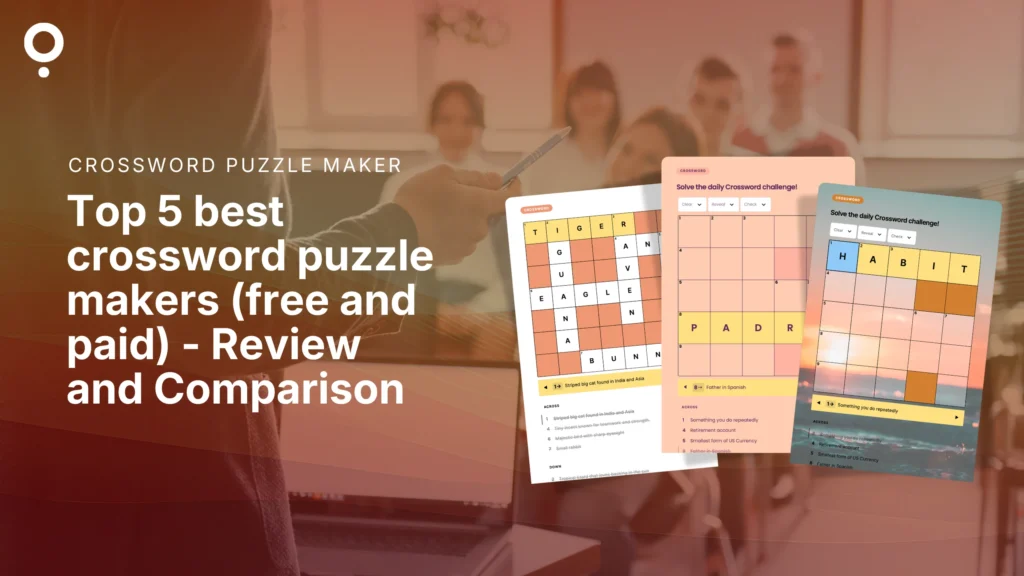
You Google “crossword puzzle maker.” You click the first result. You spend twenty minutes fighting a grid generator from 2009, only to find out printing costs money and the font looks like a fax.
So, which one’s actually worth your time?
We tested the tools people actually use to build crosswords: Qzzr, Crossword Labs, Puzzle-maker.com, EclipseCrossword, and Discovery Education’s Puzzlemaker. Whether you’re searching for the best crossword maker for a classroom worksheet or the best crossword puzzle maker for something people finish online, here’s an honest look at what each one gets right, where it falls short, and who it’s actually built for.
TL;DR: Qzzr is the best crossword puzzle maker overall if you want something interactive, mobile-friendly, and branded. Crossword Labs and Puzzle-maker.com are solid picks if you just want a fast, free grid. EclipseCrossword and Discovery Education’s Puzzlemaker are built for offline and classroom printing, not online play.
Quick comparison: what you actually get
| Tool | Online solving? | Lead capture? | Branding? | Cost |
|---|---|---|---|---|
| Qzzr ⭐ | Yes, mobile and desktop | Yes, built-in gated forms | Yes, fully branded | Free (300 completions), then $9/month |
| Crossword Labs | Yes | No, creator only | No | Free, $9.95 one-time lifetime membership for privacy control |
| Puzzle-maker.com | No, print only | No | No | Free |
| EclipseCrossword | Limited, exports as a webpage | No | No | Free |
| Discovery Education Puzzlemaker | No, print only | No | No | Free |
Last verified: October 2026, against each tool’s own website (linked in the tool column).
Prices and free-plan limits last verified: October 2026, against each tool’s public pricing page and the independent reviews at quiz-maker-review.com.
1. Qzzr: the best crossword puzzle maker overall
Free plan: unlimited crosswords, 300 completions, every feature included
Qzzr skips the grid-and-graph-paper feel entirely. You type in your words and clues, and Qzzr builds a clean, mobile-friendly crossword that works as a link, an embed, or a full-screen experience on your own site.
No credit card needed to start. No plugins. No download.
What you get for free:
- ✅ Unlimited crosswords
- ✅ Fully responsive on phone, tablet, and desktop
- ✅ Custom branding, colors, and logo
- ✅ Lead capture forms if you want emails after the puzzle
- ✅ Embeds directly on your website
- ✅ 300 completions before you need to upgrade
The only limit is completions. Once a puzzle passes 300 real solves, it’s $9/month for 1,000 completions. One plan, no tiers, no surprise upsells. Create your free crossword puzzle with Qzzr
The bottom line: If you want a crossword that looks like your brand made it and actually gets finished on a phone, Qzzr is the clearest answer here. Everything else on this list is built to be printed. Qzzr is built to be played.
Is Qzzr really free to make a crossword?
Fair question. Plenty of “free” tools quietly gate the features that matter.
Here’s exactly how Qzzr’s free plan works:
Unlimited puzzle creation. Build as many crosswords as you want, always.
All features from day one. Branding, embedding, lead forms, and mobile responsiveness are included on the free plan, not locked behind an upgrade.
300 completions per puzzle. This is the point where Qzzr asks you to pay. Not 10 solves. Not 25. 300 real people finishing a real puzzle.
No time limit. The free plan doesn’t expire on a clock.
Compare that to most “free” crossword tools, which are free because there’s nothing to unlock. They’re free because they’re basic. Qzzr is free because you haven’t outgrown it yet.
2. Crossword Labs: fast, functional, and genuinely free
Free plan: unlimited puzzles, print and share, no signup required
Crossword Labs is the quickest way to build a plain, functional crossword and get a shareable link. You don’t need an account to build or print one.
What you get for free:
- ✅ Genuinely free, no watermarks, no ads
- ✅ Search over a million existing puzzles instead of starting from scratch
- ✅ Exports to PDF, Word, or SVG
- ❌ No custom branding
- ❌ Basic, plain grid design
A paid account runs $9.95 as a one-time fee, mainly for private, unlisted puzzle links. Branding options stay limited either way.
Worth knowing before you build: Crossword Labs is a creator, not an engagement tool. There’s no lead form to gate the puzzle behind, no way to collect an email before someone plays, and no analytics on who solved it or how far they got. If the goal is just “make a crossword and share it,” that’s fine. If the goal is turning solvers into leads, there’s nothing here to do that with.
The bottom line: Crossword Labs does exactly what it says, quickly and for free. If you don’t care what the puzzle looks like and just need a link to share, it’s a solid pick. It’s not built for capturing leads or driving engagement beyond the puzzle itself.
3. Puzzle-maker.com: no-frills and printable
Free plan: instant crossword generation, no signup, print only
Puzzle-maker.com is part of a larger free puzzle site, so if you also need word searches or bingo cards, it’s a one-stop shop. Type in words and clues, and it generates a grid instantly.
What you get for free:
- ✅ Instant generation, no signup wall
- ✅ Basic grid size and layout customization
- ✅ Bundled with other puzzle types on the same site
- ❌ No interactive online solving
- ❌ Dated interface
There’s no online-solving experience here. It’s built for print, not for play.
The bottom line: Fine for a quick, free, printable crossword. Not the tool if you want anyone solving it on a screen.
4. EclipseCrossword: built for offline, Windows only
Free plan: fully free desktop software, no trial limits
EclipseCrossword is a downloadable program, not a website. If you’d rather build offline or keep your puzzle off someone else’s server, this is the one.
What you get for free:
- ✅ Completely free, no trial limits, no ads
- ✅ Puzzle Wizard auto-builds a grid from your word list
- ✅ Built-in spell check
- ❌ Windows only, no Mac, phone, or tablet
- ❌ Requires downloading and installing software
If you’re working from a shared or school-managed computer, that install requirement alone can be a dealbreaker.
The bottom line: Solid if you want full offline control and you’re on Windows. Everyone else should look elsewhere.
5. Discovery Education Puzzlemaker: a classroom staple
Free plan: fully free, no registration, print only
Discovery Education’s Puzzlemaker has been a go-to for teachers for years. Beyond crosswords, it also builds word searches, mazes, and cryptograms from the same tool.
What you get for free:
- ✅ Completely free, no signup
- ✅ Multiple puzzle types beyond crosswords
- ✅ Simple enough for students to use directly
- ❌ No interactive online solving
- ❌ Minimal design options, nothing embeddable
The bottom line: A reliable pick for classroom printables across subjects and grade levels. Not built for anything digital.
So which crossword maker should you actually use?
Here’s the short version.
If you want people to actually finish your crossword on a phone, embed it on your site, or capture leads from it: Qzzr is the only tool on this list built for that.
If you just need a free, plain crossword to print or share as a link: Crossword Labs and Puzzle-maker.com both do the job well.
If you’re printing worksheets for a classroom: Discovery Education’s Puzzlemaker and Puzzle-maker.com are built for exactly that.
If you want to work entirely offline on Windows: EclipseCrossword is your only real option here.
For anything beyond a one-off printable, Qzzr is the best crossword maker to grow with: unlimited crosswords, full branding, and a puzzle that works whether someone opens it on a laptop or a phone in line at the grocery store.
Frequently asked questions
Is there a crossword maker with a free plan that includes all features?
Yes, Qzzr. Branding, mobile responsiveness, embedding, and lead capture forms are all included on the free plan, nothing is locked behind an upgrade. The only limit is 300 completions per puzzle. Every other free tool on this list is free because it’s basic, not because it’s unlocked. Crossword Labs, Puzzle-maker.com, EclipseCrossword, and Discovery Education’s Puzzlemaker are all free, but none of them offer branding or lead capture at any price.
Can I print crosswords for a classroom?
Yes. Puzzle-maker.com and Discovery Education’s Puzzlemaker are built specifically for printable classroom use. Qzzr is built for digital play and has no PDF export.
Can I embed a crossword on my website?
Qzzr is the only tool on this list built for that. Puzzles embed directly and load natively on your page, with no iframe workarounds.
What’s the easiest way to make a crossword for social media or email?
Qzzr, since it’s built mobile-first and generates a shareable link you can drop straight into a post, email, or bio. Crossword Labs also produces a shareable link, though the experience is more basic and less branded.
Do I need design skills to make a good-looking crossword?
No, not with Qzzr. You add your words and clues, and the layout, spacing, and mobile formatting are handled for you. The print-focused tools on this list (Puzzle-maker.com, EclipseCrossword, Discovery Education) require more manual formatting if you want it to look polished.
Building more than crosswords?
Qzzr isn’t just a crossword tool. The same platform powers our free quiz maker, quiz maker, and AI quiz generator, so if crosswords are one piece of a bigger content or lead-gen strategy, it’s already built in.
Ready to build one?
You’ve seen what’s out there. Now build the crossword people actually finish.
👉 Create your free crossword puzzle with Qzzr. No credit card, no feature limits, just a puzzle worth sharing.