
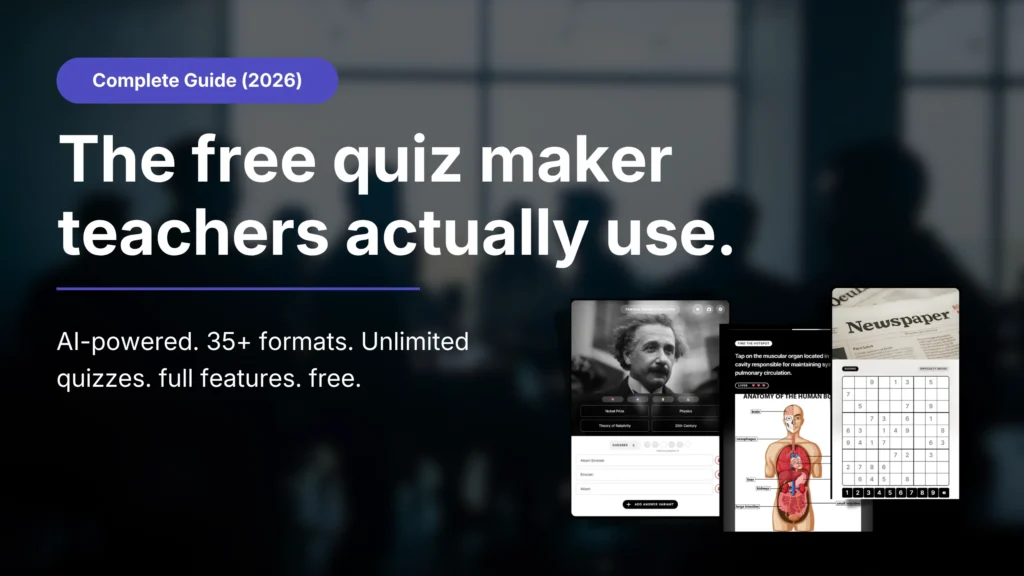
TL;DR: Qzzr is the best free quiz maker for teachers who want engaging quizzes without a paywall. The free plan gives you unlimited quizzes, 30+ formats, AI quiz creation from a topic or URL, analytics and every feature – 300 completions in total, no credit card. After that it’s $9/month for 1,000 completions. Students never need an account.
Why teachers need a better quiz tool
Most quiz tools built for teachers were designed in a world where “engagement” meant a multiple-choice question on a projector screen. That world is gone.
Students today are surrounded by TikTok, YouTube Shorts and interactive content. If your quiz feels like a government form, you’ve already lost them.
Here’s what many teachers are dealing with right now:
- Tools that lock the good stuff behind a paywall
- Classroom game tools getting expensive for schools on tight budgets
- Google Forms that look like… Google Forms
- Platforms built for data collection, not classroom engagement
- Clunky interfaces that eat your prep time
The right free quiz maker for teachers should do three things well: engage students, give you useful data and not cost a fortune. Qzzr does all three.
What to look for in a free quiz maker
Actually free (not a trial): Many tools call themselves free but block core features after 10 responses. That’s a demo, not a free plan.
Multiple question formats: Multiple choice is a start. True/false, image-based, personality-style, gamified and scored assessments give you real flexibility.
Mobile-friendly: Your students are on phones. Your quiz needs to work on phones.
Easy to build: You have 15 minutes of prep time, not 2 hours. Drag-and-drop and AI generation are your friends.
Analytics that mean something: Completion rates, scores and drop-off points help you understand what your students actually know.
Embed anywhere: LMS, school website, Google Classroom link, email – a good quiz maker goes wherever your students are.
No student account required: Students shouldn’t need to sign up just to take a quiz.
Qzzr: the free quiz maker built for engagement
Qzzr is a no-code, drag-and-drop quiz maker with built-in AI. Teachers, trainers and educators use it to make learning interactive. More than 20,000 people have signed up so far.
Here’s what you get on the free plan:
- Unlimited quizzes
- 30+ quiz, poll, form and game formats
- AI quiz creation from a topic or URL
- Your school logo, colors and footer
- Built-in forms to collect names and emails
- Automated emails that send scores and results to participants
- Analytics and reporting
- Results sent to Google Drive, Mailchimp, ActiveCampaign, AWeber or Brevo – or anywhere else via webhook with Zapier or n8n
- Mobile-ready, embed anywhere, GDPR-compliant
- No credit card required
That’s not a teaser. That’s the full product, free for your first 300 completions.
How to create a quiz with Qzzr (step by step)
Step 1: Sign up for free. Go to qzzr.com and create your free account. No credit card. No subscription prompt.
Step 2: Choose your creation method. Three ways to build:
- Start from scratch with the drag-and-drop editor
- Pick a template that fits your subject or use case
- Use AI – paste a topic or URL and let Qzzr generate your quiz
Step 3: Let AI do the heavy lifting (optional but fast). Click “Create with AI,” drop in your topic (e.g. “The Water Cycle – Grade 7”), and Qzzr generates questions, answer options and result messages. Review, tweak, delete what doesn’t fit. Done in minutes.
Prefer working in an AI assistant? An MCP connector is coming soon, so you will be able to ask Claude or ChatGPT to build the quiz from your lesson notes and have it appear in your Qzzr account.
Step 4: Customize. Add your school logo, upload images, adjust the layout, set scoring logic and add branching paths if needed.
Step 5: Add a form (optional). For older students or community learners, capture names and emails before or after the quiz – useful for registrations, course sign-ups or feedback. You can also send scores and results to participants by email automatically.
Step 6: Publish and share. Copy the link into Google Classroom, your LMS or an email, or embed the quiz on your course page. Students don’t need an account. They just click and go.
Best quiz types for teachers
Qzzr offers 30+ formats. These are the most useful in a classroom or training context:
Knowledge check quiz: Classic scored quiz. Use it for topic reviews, chapter tests or pre-assessments.
Personality quiz: “What type of learner are you?” or “Which historical figure are you most like?” Great for icebreakers and subject introductions. See our personality quiz maker comparison.
Polls and surveys: Quick pulse check. “Which topic should we cover next?” or “How confident are you about tomorrow’s exam?”
Assessment / diagnostic: Multi-step quiz with branching logic. Send students to different resources based on their answers – ideal for differentiated learning.
Quiz + form combo: For course creators and trainers building a student list. Deliver value (quiz), then collect details (form). Feels like a conversation, not a registration wall.
Leaderboards: Students compete for the top spot. Fantastic for revision sessions and vocabulary drills.
Minigames: Word puzzles, sudoku, memory games, crosswords and more – all built inside the Qzzr editor. Students think they’re playing. You know they’re learning.
How Qzzr compares to other tools
| Feature | Qzzr (Free) | Kahoot! (Free) | Google Forms | Typeform (Free) | Wayground, formerly Quizizz (Free) |
|---|---|---|---|---|---|
| Unlimited quizzes | Yes | Yes | Yes | Yes | Yes |
| Free responses/players | 300 completions (lifetime) | Up to 40 players per game for K-12 teachers | Unlimited | 10/month | Unlimited |
| AI quiz generation | Yes – topic or URL | Paid | No | Yes | Yes |
| 30+ content formats | Yes | No | No | No | No |
| Your own logo and colors | Yes (free) | Paid | Limited | Paid | Paid |
| Forms to collect names/emails | Yes | No | Yes | Yes | No |
| Embed on your website | Yes | Limited | Yes | Yes | Yes |
| No student account needed | Yes | Yes | Yes | Yes | Yes |
| Mobile-friendly | Yes | Yes | Yes | Yes | Yes |
| Paid plan | $9/month, 1,000 completions | Paid teacher plans | Free | From $39/month | Paid plans |
Prices and free-plan limits last verified: October 2026, against each tool’s public pricing page and the independent reviews at quiz-maker-review.com.
Kahoot!: Built for live, teacher-paced game shows on a projector. The free plan for K-12 teachers allows up to 40 players per game; personal free accounts are limited to 10. If live game shows are your main use case, Kahoot is strong. For self-paced quizzes, personality quizzes, forms and embeds, Qzzr gives you more.
Google Forms: Great for data and basic scored quizzes. Not built for engagement: no personalized results, timers, leaderboards or games.
Typeform: 10 responses per month on the free plan. That’s one student taking 10 quizzes. Basically a demo.
Wayground (formerly Quizizz): Good for classroom game sessions and homework practice, but narrower outside that context – fewer formats and no lead forms.
Qzzr: 300 free completions, all features unlocked, 30+ formats, AI generation, your own branding and forms. The full product, free to start.
Real use cases for teachers
Pre-lesson warm-ups: Drop a 5-question quiz link in Google Classroom before class. See what students already know. Adjust your lesson.
Exit tickets: A quick 3-question check at the end of a lesson. Instant insight into comprehension without grading a stack of paper.
Revision games: Build a leaderboard quiz on last week’s content. Students compete, and you review content without anyone calling it a review.
Diagnostic assessments: Start of term. Map knowledge levels with a branching quiz and send students to foundation or advanced resources automatically.
Subject introduction: “Which era of history matches your personality?” A personality quiz before a new unit gets students curious before you’ve said a word.
Course sign-ups: Running an after-school program, online course or workshop? Use a Qzzr form to collect student details during a quiz and send them straight to Google Drive or your email tool.
School sports and school newspapers: Fan polls for the school team, trivia for the school paper, a “which club fits you?” quiz for open day.
Parent engagement: “What’s your biggest challenge helping with homework?” Polls and quizzes work for parents too.
Tips for great classroom quizzes
- Keep questions short. One idea per question.
- Use images. A photo of a cell diagram beats “The mitochondria is…” every time.
- Mix formats. Scored questions plus one personality-style question at the end keeps students going to the finish.
- Try Guess It. Show a blurred or partially revealed image and ask students to identify it. Works brilliantly for geography, science diagrams, historical figures and art.
- Try TypeRush. Students type the correct answer as fast as they can. Ideal for vocabulary, capital cities, element symbols or maths facts.
- Set a timer for recall quizzes. Light time pressure keeps students focused.
- Add explanations to answers. When students see immediately why an answer was wrong, the lesson sticks.
- Test on mobile before sharing. Most students will open it on their phone.
When Qzzr isn’t the right fit
- Live game shows on a projector are the core of Kahoot and Wayground. If that’s all you need, they’re built for it.
- Removing all branding: You can add your school logo and footer, but the Qzzr branding stays.
- PDF certificates or reports for participants aren’t available.
- District- or university-wide rollouts with white-labeling and large volumes are a better fit for Riddle, the enterprise quiz maker from the team behind Qzzr. Riddle lets you remove its branding on all plans.
Qzzr pricing: what’s free, what’s not
No hidden tiers. Simple, flat pricing:
Free plan
- Unlimited quizzes, all 30+ formats
- All features (AI, your own logo, forms, integrations, analytics)
- 300 completions in total – no expiry, no monthly reset
- No credit card needed
Pro plan – $9/month
- Everything in the free plan
- 1,000 completions per month, billed monthly
- Need more? Add 1,000 completions for $5 anytime
That’s it. Two plans. You’re not paying per teacher or per class – just for completions.
FAQ
Is Qzzr really free for teachers?
Yes. The free plan includes every Qzzr feature – AI creation, 30+ formats, your own logo, analytics and forms. It covers 300 completions in total (not per month), with no expiry and no credit card. After that, the Pro plan costs $9 per month for 1,000 completions.
Do students need to create an account to take a Qzzr quiz?
No. Students click the link or scan a QR code and take the quiz. No sign-up, no login.
How many students can take my quiz at once?
There is no player cap on Qzzr quizzes. Share a quiz with 30, 300 or 3,000 students – each completion counts toward your plan. By comparison, Kahoot’s free plan for K-12 teachers allows up to 40 players per game.
Can I use Qzzr with Google Classroom or an LMS?
Yes. Paste the quiz link into Google Classroom, Moodle, Canvas, your school website or an email, or embed the quiz on a page with a copy-paste embed code.
Can students get their results by email?
Yes. Qzzr can send automated emails to participants with their score and result after they finish the quiz. You set this up in the quiz’s lead settings.
Can I send quiz results to Google Sheets?
Yes. Qzzr connects natively to Google Drive, so results and form entries can flow into a spreadsheet automatically. Qzzr also integrates with Mailchimp, ActiveCampaign, AWeber and Brevo, and its webhook works with Zapier and n8n for anything else.
Can I build quizzes from my lesson notes or a URL?
Yes. Qzzr’s AI generates a quiz from a topic or from a URL – paste your lesson page or article link and it builds the quiz from that content. An MCP connector for creating quizzes directly from AI assistants like Claude or ChatGPT is coming soon.
Does Qzzr work on phones and tablets?
Yes. All quizzes are fully mobile-responsive. Students on phones get the same experience as students on a laptop.
Can I add images, videos or GIFs to my quizzes?
Yes. Add media to questions, answers and results. Visual quizzes keep students engaged longer.
Is Qzzr GDPR compliant?
Yes. Qzzr is GDPR compliant. If you collect student data through forms, consent options are built in.
What happens when I hit 300 completions?
You can upgrade to the Pro plan at $9 per month for 1,000 completions. No data is lost and no quizzes are deleted.
Can I use Qzzr for online courses or training, not just school?
Yes. Qzzr works for trainers, coaches, course creators and corporate educators – anyone who needs to assess, engage or collect sign-ups from a learning audience.
How is Qzzr different from Google Forms?
Google Forms collects data and handles basic scored quizzes. Qzzr adds personalized results, branching, leaderboards, games, AI creation, your own branding and 30+ formats.
Can I see how my students performed?
Yes. Qzzr’s analytics show completion rates, average scores, per-question performance and drop-off points, so you know exactly which question lost the most students.
Ready to build your first quiz?
Stop losing students to boring assessments. Build quizzes that actually engage – in minutes, for free, with no credit card.