
Feedback forms are an effective way to collect testimonials, understand user experience, improve products or services, and also to collect other actionable insights from customers
But the truth is, most customers skip them. Often, it’s not because they don’t want to share feedback, but because when or where it’s asked, the format is boring, and the overall user experience is bad.
In 2026, designing smarter, shorter, and more engaging ways to collect feedback makes the difference between an ignored form and getting clear, actionable insights.
So how do you create an experience where people are excited to share their feedback and talk about their journey with your product or service?
Simple: Switch from plain feedback forms to interactive feedback quizzes with built-in forms.
Here’s why they work better:
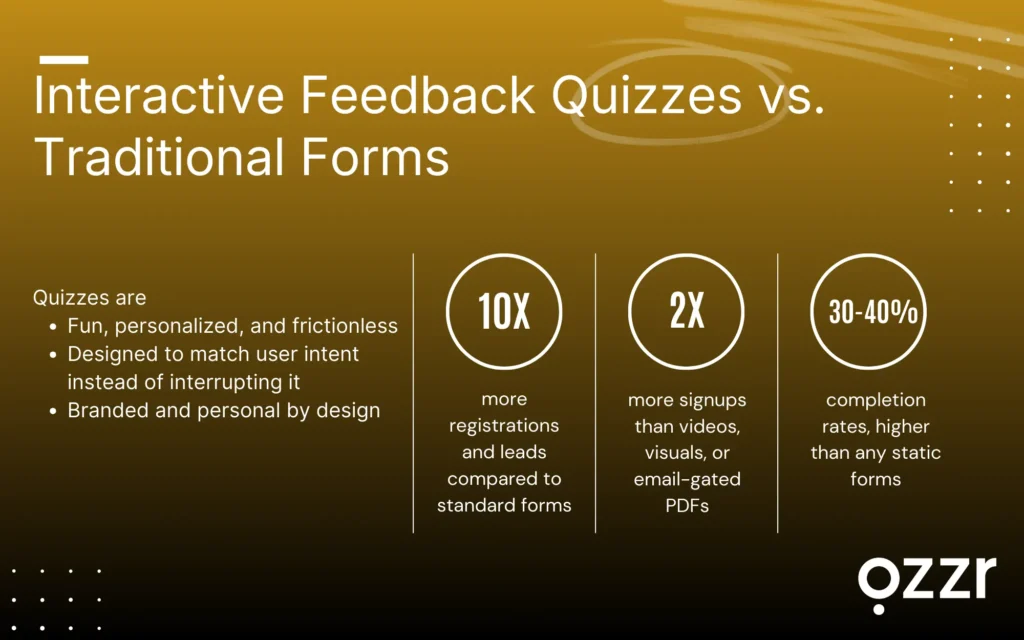
- 10X more registrations and leads compared to standard forms
- 2X more signups than videos, visuals, or email-gated PDFs
- 30–40% completion rates — far higher than any static form you’ve used
In this article, we’ll explore the best ways to collect feedback using Qzzr Free Quiz Maker while creating an interactive, branded experience, one that your users enjoy and you can actually learn from.
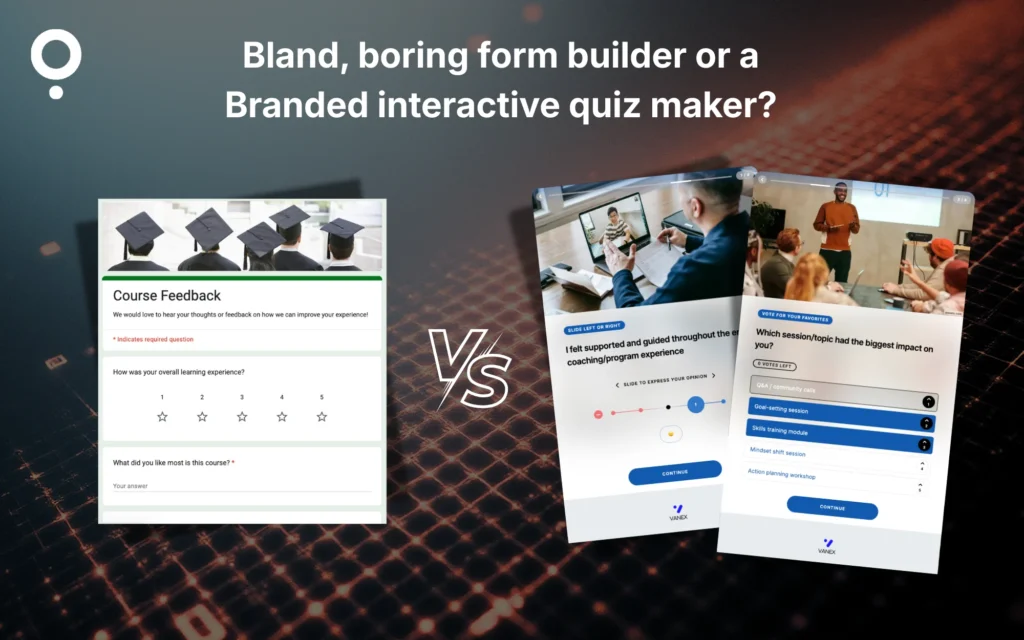
Feedback surveys without the boring forms
Most businesses, such as coaches, educators, brands, publishers, and event organizers, send feedback surveys after a course, a purchase, or an event to collect basic feedback and ratings.
Feedback surveys built using forms feel long, boring, and like homework.
And even when users fill them, the responses are often incomplete or not very useful.
With feedback quizzes, the experience becomes interactive.
Users get simple options to choose from, and you get clear, actionable insights instead of vague answers.
Which one do you think gets more attention and completions?
Pop-ups that don’t get ignored
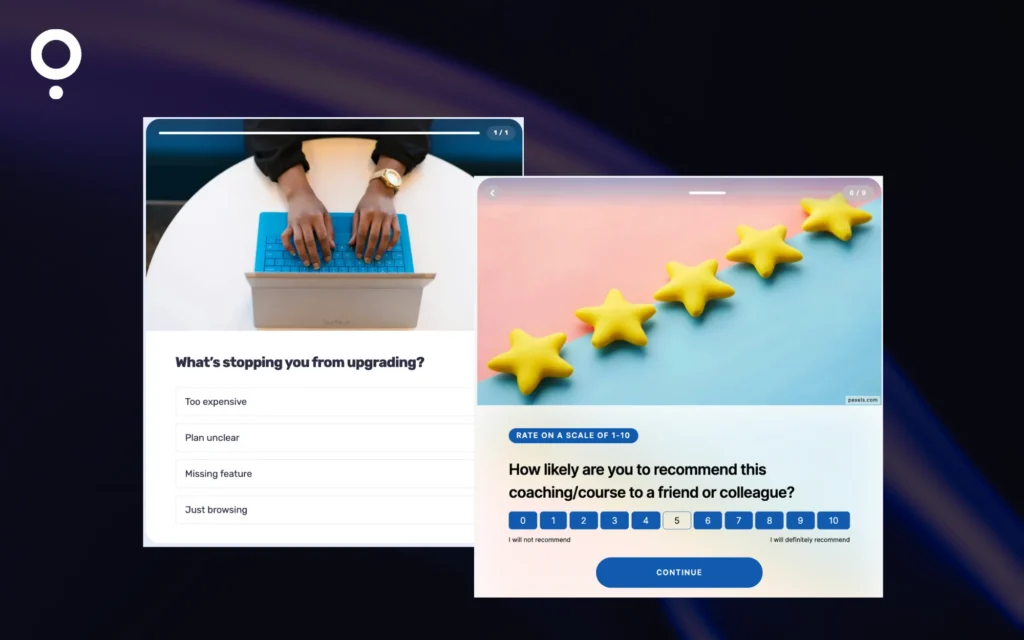
Pop-ups fail when they interrupt, but they work when they anticipate intent. So instead of showing a form instantly, trigger a 1–2 question feedback quiz when users complete an action:
- Finished a course module → “How confident do you feel?”
- Booked a call → “What made you choose us today?”
- Viewed pricing → “What’s stopping you from upgrading?”
Following up with a feedback question, Quick check-in: How was your onboarding experience?
You can also redirect users to the relevant page after they interact with the pop-up.
Why quizzes win:
Pop-ups with clickable answers feel like micro-interactions, not annoying.
Lower friction leads to higher completion and better insights.
Embedded feedback quizzes on key pages
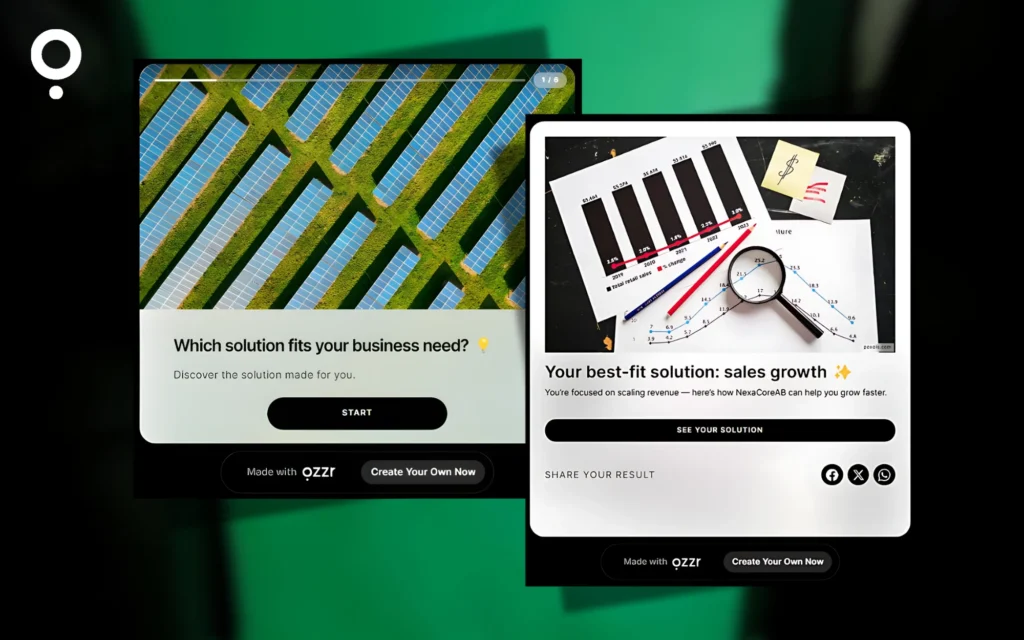
Most of the time, people ignore embedded forms, which also feels like a commitment for them. However, with the smart quizzes, out of curiosity, they click on one of the choices and want to explore where it leads.
You can also use mini-games to hook the website visitors to disclose an offer or a deal, and then ask for feedback.
Where to embed:
- Landing pages
- Pricing page
- Help center
- Blog posts
- Customer dashboard
Tip:
Use a strong hook question, with relatable choices like:
“Which solution fits your needs?”
Once they answer, they’re already invested and more likely to finish the feedback quiz.
Email feedback that doesn’t look like feedback
The fastest way to kill a feedback email? Start it with: “Can you fill out this feedback survey?”
Instead, start with something about the product or a service, something fun, curious, or self-reflective, and use that to pull them into the quiz.
Example:
Subject: Quick check-in on the Course progress(takes 3 seconds)
Inside the email:
“Quick check-in: which part of this week’s session helped you the most?”
- A — The mindset exercise
- B — The goal-setting framework
- C — The action worksheet
- D — The live Q&A segment
Click here to respond → One tap → takes them into the interactive quiz.
And inside the quiz, you slide in the feedback moment naturally:
“And while you’re here… how’s your overall coaching experience so far?”
⭐️ ⭐️ ⭐️ ⭐️ ⭐️
This turns a “boring feedback survey” into a conversation about their progress, something coaching students actually love answering.
Live chat feedback (without actually asking for “Feedback”)
Support chat is where you can understand the user’s emotions. If it’s their “aha” moment, they will be willing to share an elaborate testimonial. But at a typical support chat, right after a chat ends, most businesses drop a boring star-rating box.
Most people ignore it, even if they rate it, which tells nothing about what they liked.
Instead of asking for feedback, ask an indirect, product-focused question that feels helpful, not evaluative.
This does two things at once:
✔ boosts response rate (because it doesn’t feel like feedback)
✔ gives you richer product insights, not just a 4-star rating
Examples of indirect questions
If the chat was about coaching
“Which area do you want more support in this week?”
- Mindset
- Strategy
- Accountability
- Worksheets
If the chat was about setup
“Which part of the setup do you want to explore next?”
- Integrations
- Templates
- Custom Branding
- Lead Capture
One tap leads them into a short quiz.
And inside the quiz, once they’re already engaged, you slide in the subtle feedback moment:
“Quick one: How was today’s chat experience?”
Add a Reward to Boost Completion
Right after they answer the first question, show a small reward:
- “Complete this 10-second quiz to unlock a bonus resource.”
- “Finish this quick check-in to get a 20% upgrade credit.”
- “Answer 3 taps → unlock an advanced tip guide.”
Small rewards lead to big completion rates.
Why This Works
You’re not just asking for feedback, you’re starting a conversation about their goals, needs, and product usage.
Floating side button
Though it is outdated, many websites still feature a vintage button asking for feedback. Users won’t click a “Feedback” button if they know they will see a long form.
But if you label it with a curiosity hook like:
- “Got 10 seconds?”
- “Help us personalise this for you.”
- “Take a quick quiz.”
- “Which pro plan fits you best?”
- “Improve your experience.”
- “Find your best option.”
- “Tell us what you need.”
… out of curiosity, they want to check this out, and it improves completion rates.
Example quiz: “Find your ideal experience”
When they click the floating button, instead of dropping them into a boring survey, show a simple Qzzr-style quiz like:
Quiz Title:
“Find your best experience in 3 taps”
Q1:
“What are you here to do today?”
- Explore features
- Learn something new
- Complete a task
- Get support
Q2 (adapts to their answer):
“Which part needs improvement?”
- Speed
- Ease of use
- Design
- Support
Q3:
“And how’s your overall experience so far?”
⭐️ ⭐️ ⭐️ ⭐️ ⭐️
This way, the final “feedback” question feels natural.
You can also redirect them to the relevant page right after the quiz from the results page, making the journey smooth and purposeful.
Social media feedback quizzes
People won’t pause their scroll for a boring form. But they will stop for fun, tappable quiz-style questions that feel native to each platform.
Since you can’t embed full quizzes on social media, the trick is simple: Use micro-questions as the hook and then redirect them to the full Qzzr quiz page.
Brands and marketing teams can use Qzzr’s interactive formats to increase engagement and lead generation
Best formats:
- IG Stories: 2–3 poll slides → link to full quiz
- LinkedIn carousel quiz: Slide-by-slide choices → final slide CTA
- LinkedIn Polls: Quick 1-question quiz → comment/link to full quiz
- TikTok: “Choose A or B” → link in comments/bio
- X polls: Quick signals → thread link to full quiz
Example: LinkedIn Poll
“How did today’s session feel for you?”
- Super helpful
- Helpful but missing something
- Neutral
- Not helpful
📌 Comment under the poll:
“Share what could’ve made it better – 20-second feedback quiz → [link]”
It’s low-friction and attracts only interested users to the main quiz.
LMS feedback between lessons (not after)
In coaching and education, end-of-course surveys often get ignored, as learners just want to complete and move on to the next.
But, micro-quizzes placed between lessons receive 2–3 times more responses because learners are already in the learning mindset.
And unlike end-of-course forms, these quizzes don’t just collect testimonials; they reveal real learning progress, clarity gaps, and actionable insights you can use to improve your course.
Example Trigger Moments:
- After Chapter 2 → “Which concept was easiest? Which one still feels unclear?”
- After an assignment → “How confident are you now?”
- Before the final module → “What should we explain better before you move on?”
- After watching a video → “Did this example make sense or should we simplify it?”
Tip:
Use progress psychology to boost completions:
“Step 1 of 3 → Step 2 of 3 → Step 3 of 3”
People love finishing what they start, especially when it feels light and fast.
Bonus:
Micro-quizzes help you collect:
- Skill gaps
- Confidence levels
- Content clarity issues
- Feature requests
- Testimonial-ready moments
…without ever asking for a long form.
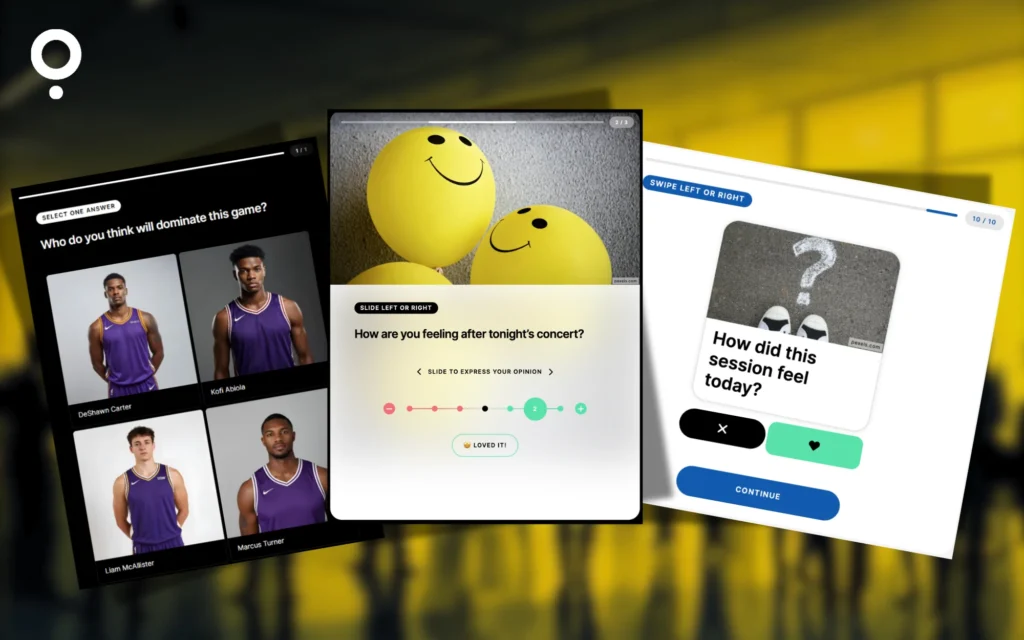
In-app mobile feedback quizzes
Instead of forcing users to type sentences in tiny boxes, turn your feedback into a swipe-and-tap micro-quiz that feels like part of the app.
With Qzzr, you can create mobile-first interaction formats like:
- Swipe It (“Loved it / Meh / Didn’t get it”)
- Emoji sliders (😀 → 😐 → 😕)
- One-tap choices
- Rate it
…you collect more responses and better insights.
But here’s the magic:
Don’t ask for feedback randomly.
Trigger the quiz right after an emotional high, when users feel accomplished and connected to your product.
Best Trigger Moments:
- Completed a workout → “How did this session feel today?”
- Hit a milestone → “Which feature helped you reach this goal?”
- Logged an activity → “Want a quick suggestion for the next step?”
- Finished a lesson → “What made this module easy or hard?”
When emotions are high, feedback becomes honest, specific, and useful.
Bonus:
Use the quiz flow to ask something insightful first (“Which part helped you the most today?”), then bring in the rating later. This boosts completions and gives you deeper product intelligence.
QR codes for live events & workshops
Paper feedback forms get thrown away. Post-event emails get ignored. A QR code can capture feedback in the moment, but only if people notice it.
Most of the time, QR codes are ignored unless they clearly offer value. That’s why your QR shouldn’t say “Give Feedback”, it should promise something people care about.
Think:
- Discounts
- Giveaways
- VIP upgrades
- Free resources or credits
When people see value, they scan. Also, avoid placing multiple QR codes for different actions.
Too many choices dilute attention and reduce scans.
For business events and sports, compared to forms, Live polls and predictors get more attention and participation. While you get the response, add a feedback question to gather their testimonial.
Place QR codes at smart, high-emotion spots:
- Venue exit (energy is high)
- Badge counter (zero friction)
- Snack zone (downtime = perfect time)
- On chairs (built-in visibility)
- Near the stage (right after the keynote buzz)
And don’t send them to a long survey.
Send them to a 3–5 question micro-quiz that feels fun, fast, and interactive.
Tip:
Use a curiosity-driven hook:
“Tell us in which player suits your energy today”.
or
“Who was your favorite speaker? Tap to choose.”
To boost completions, add a simple reward-based CTA:
- At sports events: “Complete the quiz to unlock a chance for a VIP upgrade.”
- At business or education events: “Finish the quiz to get free credits or an exclusive resource.”
With a quick quiz, you don’t just collect testimonials, you collect session insights, speaker feedback, engagement signals, future topic requests, and what made the event memorable.
Final thoughts: Feedback that people actually want to share
Consistently, quizzes have been showing more completion rates and lead capture compared to static forms or content. Long forms, bad timing, and boring surveys push people away, even when they genuinely want to help. But when feedback feels interactive and contextual, people engage without hesitation.
That’s where feedback quizzes make the difference in getting valuable insights.
If you want to collect feedback that’s fun to answer, easy to complete, and rich in insights, try building your next feedback flow with Qzzr.
From embedded quizzes and pop-ups to email, social, mobile, and live-event feedback, Qzzr helps you turn every touchpoint into an interactive experience.
Qzzr offers 30+ interactive formats to play with, helping you keep users engaged across devices while collecting first-party data in full compliance with GDPR.
Create your first feedback quiz with Qzzr and see the difference yourself.